
Spacely AI Review: Features, Pricing & A Better Alternative
We tested Spacely AI for interior design, exterior rendering, and style transfer. Here's our honest take — and why Rendershop is the stronger choice for teams that need video and a full architecture workflow.
Quick Verdict
Spacely AI is a genuinely strong AI interior design tool — fast, watermark-free even on its free plan, with sketch-to-render, virtual staging, exterior redesign, and point-and-edit refinement. Its main gap is motion: Spacely produces still images only, with no AI video walkthroughs, and it's built interior-design-first. For a complete architecture suite that adds cinematic video walkthroughs alongside rendering, virtual staging, inpainting, and enhancement, Rendershop is the more complete option — starting with 50 free credits and no watermark.
What is Spacely AI?
Spacely AI is an AI-powered rendering platform focused on interior design, with a growing set of exterior and home-design tools. Upload a sketch, a 3D model export, or a room photo, pick a style or supply your own reference image, and Spacely generates a photorealistic render in under 60 seconds. It has grown to more than 580,000 users and ships a native SketchUp plugin.
The platform is well-rounded for design visualization: sketch-to-render that preserves geometry, virtual staging via Auto Furnish, reference-image style transfer, exterior and facade redesign, and Point-and-Edit for touching up specific regions. Renders download watermark-free with a commercial license — even on the free plan.
Where Spacely AI stops short is motion and scope. It generates still images only — there are no AI video walkthroughs — and the product is built interior-design-first, so it's less of an all-in-one architecture workflow. For professionals who want rendering, staging, editing, enhancement, and cinematic video in one place, a broader platform like Rendershop covers more of the job.
Spacely AI Features Breakdown
Sketch & 3D Model to Render
Spacely AI's workhorse feature turns sketches, SketchUp or 3ds Max exports, and hand drawings into photorealistic renders while preserving the original geometry and materials. This is a real differentiator over photo-only tools and makes it popular with architects and interior designers working from CAD.
Style Transfer & Reference Images
You can pick from a large library of interior and design styles, or upload your own reference image (a Pinterest pin, a mood board, a competitor render) to guide the look. Results are strong for interiors and generally faithful to the reference, though very specific material or brand details can drift.
Virtual Staging (Auto Furnish)
Upload a photo of an empty room, choose a room type and style, and Auto Furnish places appropriate furniture. A Q1 2026 update improved style consistency between furniture pieces, so staged rooms look more cohesive. It's solid for design presentation, though it's framed as a design tool rather than a dedicated MLS real-estate staging workflow.
Exterior & Facade Design
Spacely AI includes an exterior design tool: upload a photo or sketch of a home and test different facades, paint colors, window trims, roofing materials, and landscaping. It's useful for fast curb-appeal experiments, though the platform's core strength and polish remain on the interior side.
Point-and-Edit & Enhance
Pro plans add Point-and-Edit for selectively adjusting a region of a render, plus Lighting, Furnish, Material, and Enhance modes and 4K download. This gives you meaningful control to refine an output without regenerating the whole scene — a capability that lifts Spacely above basic one-shot render tools.
Where Spacely AI Falls Short
The biggest limitations are no AI video walkthroughs (output is still images only), an interior-design-first scope that makes it less of a full architecture suite, quality that depends heavily on input image clarity, and higher tiers gated behind per-seat plans for team features. For professionals who want video plus a broader all-in-one toolkit, Rendershop is the more complete option.
Spacely AI Pros and Cons
Pros
Fast rendering — results in under 60 seconds
Watermark-free output with commercial license, even on free plan
Strong sketch and 3D-model-to-render workflow
Reference-image style transfer (bring your own inspiration)
Virtual staging via Auto Furnish
Exterior and facade redesign tool
Point-and-Edit refinement and 4K download on Pro plans
Native SketchUp plugin and team collaboration
Cons
No AI video walkthroughs — still images only
Interior-design-first, less of a full architecture suite
Output quality depends on input image clarity
4K, priority queue and team features gated to paid tiers
Team seats limited by plan (1–5 seats)
Very specific materials or brand details can drift
Credits are consumed per render and vary by tool
No dedicated MLS real-estate staging workflow
Spacely AI Pricing
Spacely AI uses a credit-based model with a generous free tier. Prices below reflect the effective monthly rate when billed yearly (as of July 2026); monthly billing runs higher. Here's how their plans break down:
Credit-only top-ups are also available (for example 1,000 credits for $35), and there's a discounted education plan. Spacely's free tier is genuinely generous — 40 credits, watermark-free, with a commercial license — which is a real strength. What you don't get at any tier is video. Rendershop offers a complete AI design suite — rendering, staging, editing, enhancement, and cinematic video — with 50 free credits and no watermarks.
Rendershop vs Spacely AI: Feature Comparison
Considering Spacely AI? Here's an honest look at how Rendershop compares across the features architecture and design teams care about most.
Why We Recommend Rendershop Over Spacely AI
Spacely AI is a capable interior-design renderer with staging, exterior tools, and point editing. But it stops at still images and stays design-first. Here's why Rendershop is the better choice for professionals who need more:
AI video walkthroughs
Spacely AI produces still images only. Rendershop turns any render into a cinematic walkthrough video — ideal for client presentations, social media, and project proposals. This is the clearest gap between the two tools.
Complete architecture design toolkit
Spacely AI is built interior-design-first. Rendershop gives you rendering, virtual staging, AI photo editing, inpainting, image enhancement, and video walkthroughs in one architecture-focused platform — no switching tools for the full workflow.
Advanced editing with inpainting
Both tools support region editing, but Rendershop's inpainting is built for architecture — selectively change materials, add or remove objects, and adjust landscaping without re-rendering the entire image.
Virtual staging for real estate
Spacely's Auto Furnish is framed as a design feature. Rendershop's dedicated staging tool is built for real estate listings and property marketing — furnish empty rooms with photorealistic furniture and natural lighting.
50 free credits, no watermarks
Both platforms are watermark-free on their free plans — a real Spacely strength. Rendershop gives you 50 free credits with full commercial use rights from day one, so you can test the entire suite, video included.
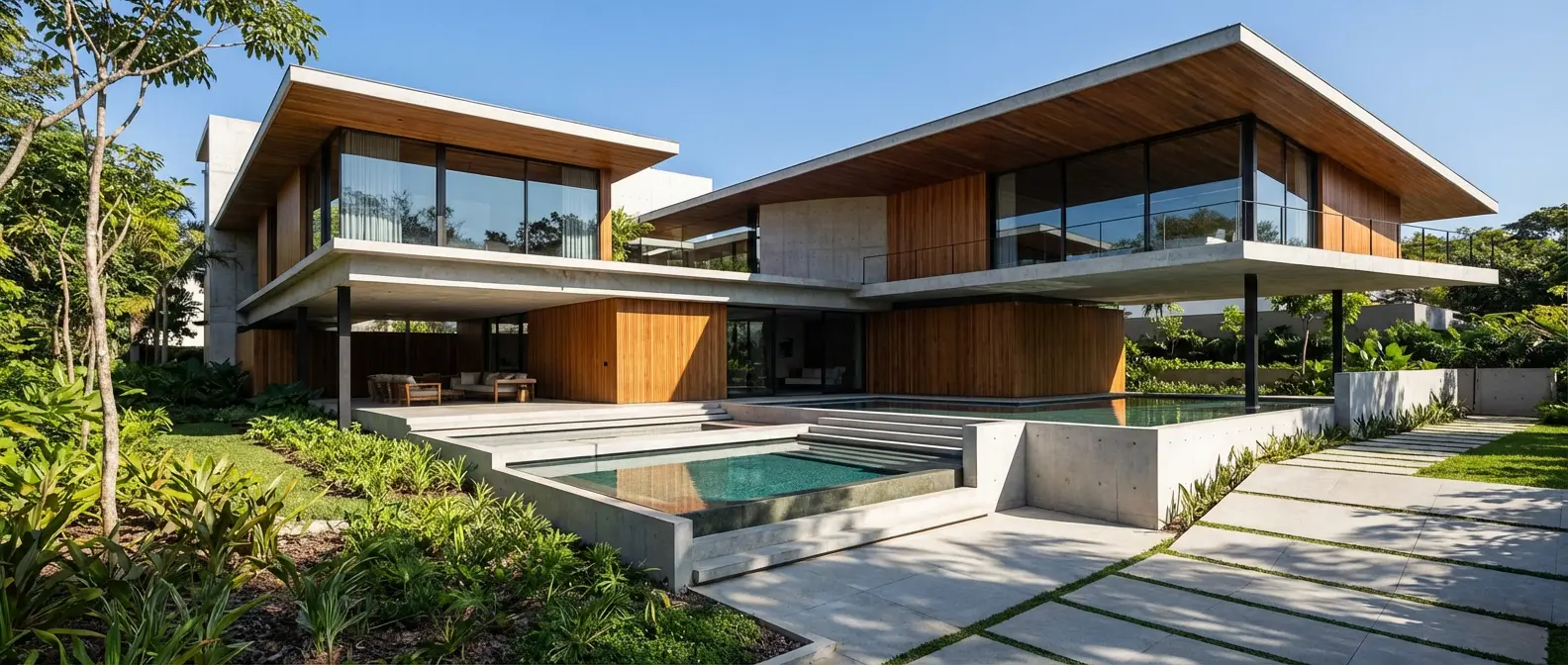
Renders Created with Rendershop



Is Spacely AI Right for You?
Spacely AI might work if you...
Focus mainly on interior design visualization
Work from SketchUp or 3D model exports
Want a generous, watermark-free free tier
Need reference-image style transfer and staging
Choose Rendershop if you...
Need a complete rendering, staging, and editing toolkit
Want AI video walkthroughs for client presentations
Work across interior and exterior architecture
Require virtual staging for real estate listings
Need AI photo editing with precise inpainting
Prefer watermark-free output with 50 free credits
Spacely AI Review FAQ
Common questions about Spacely AI and alternatives

Ready to try a better Spacely AI alternative?
50 free credits — No credit card required.