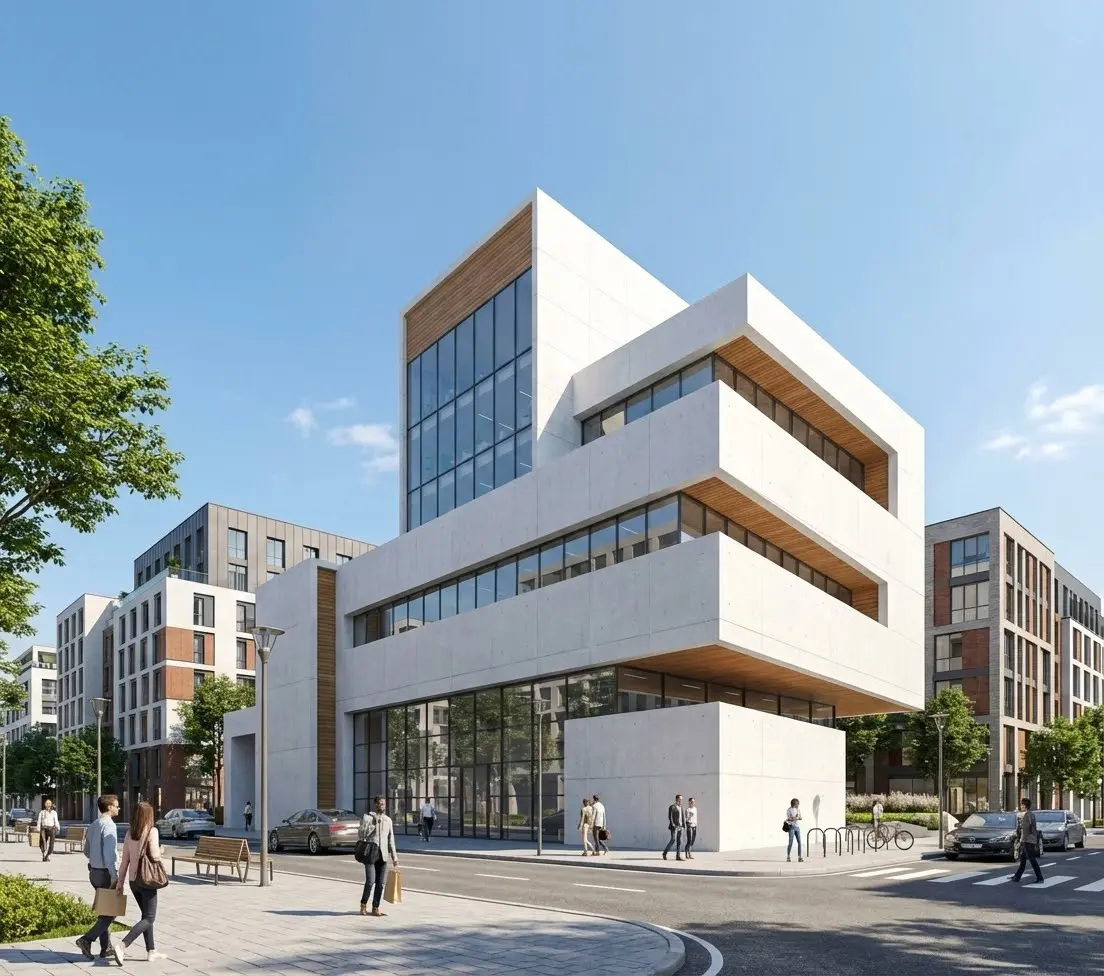
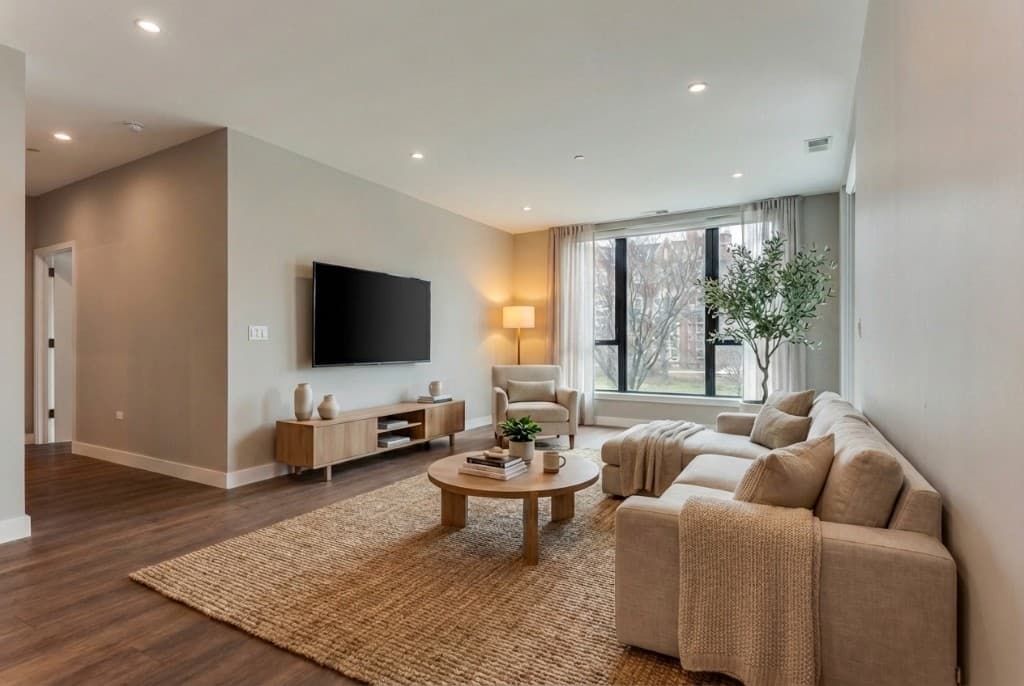
Airbnb's own data consistently shows that listings with high-quality photos earn significantly more per night and book faster than listings with amateur photography — and the gap has widened as inventory has grown. In most markets, a guest scrolling Airbnb will pass through dozens of listings in under a minute. The ones they click on share one thing: they look like a place worth staying. The ones they skip — cluttered, dark, poorly composed, or obviously staged with mismatched furniture — are invisible regardless of price, location, or amenities.
Professional Airbnb photography solves this, but it costs $150–$400 per shoot, requires scheduling, and captures only the space as it exists the day of the shoot. If the space isn't perfectly staged that day, the photos show it. AI rendering offers a different approach: start with a smartphone photo, describe what you want the space to look like, and receive a photorealistic render of that space — fully furnished, beautifully lit, at its absolute best — in under 30 minutes.
Why Short-Term Rental Listing Photos Matter More Than Almost Anything Else
Unlike a hotel, where brand recognition drives a large share of bookings, an Airbnb or VRBO listing is judged almost entirely on its photos and reviews. A new listing with no reviews competes on photos alone. Even established listings with excellent reviews lose bookings to visually superior competitors. The mechanics of how short-term rental platforms work amplify this effect:
- Cover photo determines the click.Guests see the cover photo before the title, before the price, before the reviews. It's the single biggest factor in whether they click through to your listing at all. A mediocre cover photo means most potential guests never read your glowing reviews or see your competitive price.
- The photo gallery sets expectations.After clicking, guests examine each photo carefully to answer: "What will it feel like to be here?" Sparse, dark, or cluttered rooms create anxiety. Well-lit, thoughtfully furnished, clean spaces create confidence and desire. The booking happens when guests can picture themselves in the space.
- Platform search ranking rewards high-performing listings.Airbnb's algorithm promotes listings with high click-through rates and booking conversion. Better photos → more clicks → higher booking rate → higher search placement → more bookings. It compounds. The visual quality of your listing is one of the few things within your direct control that affects the algorithm.
- Nightly rate is a function of perceived quality.Guests calibrate their price expectations against how the listing looks. The same apartment, photographed well, can command 20–30% more per night than the same apartment photographed poorly. Listing photos are not just a marketing asset — they directly set your revenue ceiling.
What AI Rendering Can Do for Short-Term Rental Hosts
AI rendering for Airbnb listings is not a single tool — it's a set of capabilities that apply at different stages of a host's journey. Understanding which capability applies to your situation helps you get the most value quickly.
Virtual Staging for Empty or Sparsely Furnished Spaces
This is the most common use case for new hosts who are setting up a property for the first time, or for hosts who list a property during renovation or between major furniture updates. Virtual AI staging takes a photo of your empty room and generates a photorealistic render of that room fully furnished — sofas, rugs, lighting, bedding, artwork, plants — in the style you specify. The result looks indistinguishable from a professional staging shoot.
Unlike physical staging, which requires renting furniture, paying movers, and scheduling a photo shoot, AI virtual staging happens entirely in software. You upload a photo, choose a style (Scandinavian, mid-century modern, bohemian, coastal, farmhouse, minimal), and the AI generates a furnished version of the room. If you don't love the first result, you regenerate with a different style description. The cost is a few dollars per image, not thousands.
See our full guide to virtual staging for real estate for a deeper look at the process and what makes a good staging result.
Refreshing and Upgrading Existing Listing Photos
Many hosts have existing listing photos that are technically acceptable but not great — the furniture is dated, the lighting is flat, the room looks smaller than it is, or there's clutter that didn't get cleared before the shoot. AI rendering can take those photos and regenerate them with improved lighting, cleaner styling, and a more cohesive aesthetic — without a new shoot. You upload the existing photo, describe the improvements you want ("warmer lighting, remove clutter, more modern furniture"), and get a refreshed version.
Showing a Space at Its Seasonal Best
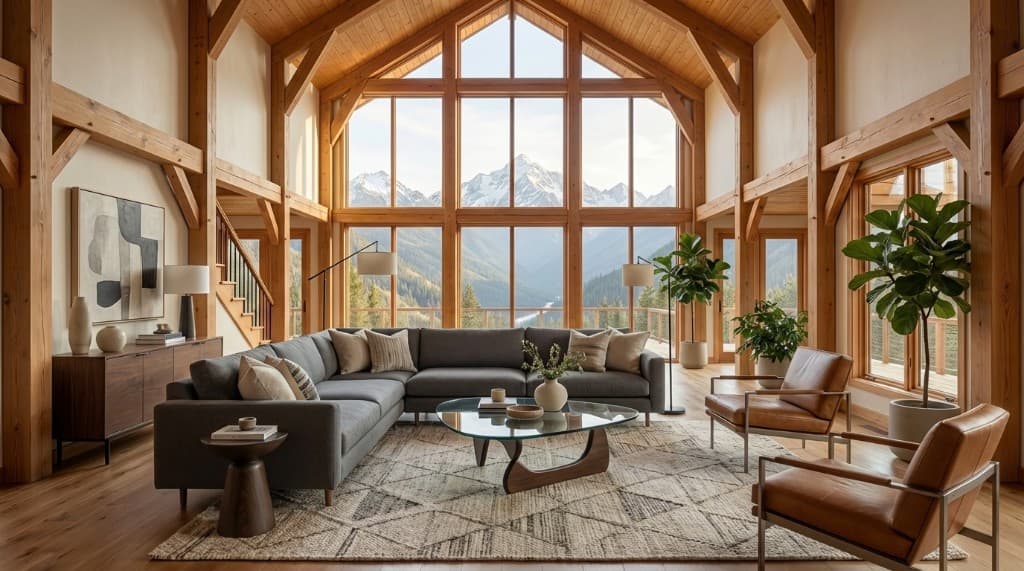
A beach house photographed in the off-season looks different from the same house photographed in peak summer. A mountain cabin photographed mid-renovation looks different from the finished, snow-season-ready version. AI rendering lets you generate listing photos that show the property in its most appealing seasonal context — regardless of when you actually have access to the space for photography. A host in New England can show their cabin with warm autumn foliage framed in the windows, even if they're listing in February.
Visualizing a Conversion Before You Invest
Many hosts are converting a spare bedroom, a basement, a garage, or an entire second property into a short-term rental. Before buying furniture and committing to a design direction, AI rendering lets you see what the finished space will look like with a given furniture arrangement and style. You can test three or four different approaches — different color palettes, different furniture layouts, different accent wall treatments — and pick the one that photographs best, before spending a dollar on physical items.
AI Rendering vs. Other Short-Term Rental Photo Approaches
| Factor | DIY Smartphone Photos | Professional Photography | AI Rendering |
|---|---|---|---|
| Cost | Free | $150–$400 per shoot | $5–$30 per image |
| Time to publish-ready photos | Same day | 1–5 days (scheduling + editing) | 30–60 minutes |
| Can stage an empty room | No | No (must be physically staged) | Yes — AI virtual staging |
| Works without visiting the property | No | No | Yes — from photos on file |
| Can iterate on style/layout | Only by reshoot | Only by reshoot ($$$) | Yes — regenerate in minutes |
| Result quality | Varies widely | Consistently high | Consistently high |
| Useful for pre-launch listings | No | No (space must be finished) | Yes — render the planned design |
| Skill required | Basic | None (hire a pro) | None — describe what you want |
A photorealistic AI render of a short-term rental bedroom — styled, lit, and ready for listing in under 30 minutes
Step-by-Step: Creating AI Renders for Your Airbnb Listing
Step 1: Take Good Source Photos
AI rendering starts with input — a photo of the space as it currently exists. The source photo doesn't need to be perfect, but it does need to be clear enough for the AI to understand the room's geometry: the walls, windows, floor, ceiling height, and any permanent fixtures. For best results:
- Shoot in natural daylight with overhead lights on
- Shoot from a corner or doorway to capture as much of the room as possible
- Clear the space of clutter before shooting — even if you're going to virtually stage it, a clean base makes for a cleaner result
- Hold the phone level to avoid distortion
- Take multiple angles: a wide corner shot, a detail shot of the window, a view from the bed toward the door
Step 2: Choose Your Style
The most important creative decision is the style direction for your listing. Before generating anything, decide on the aesthetic that will make your property most appealing to your target guest. A downtown apartment aimed at business travelers reads best in a minimal, modern, uncluttered style. A coastal cottage targets families and couples best with a light, relaxed, blue-and-white palette. A mountain cabin appeals to adventurous groups with warm wood tones, textured textiles, and a roaring fire scene.
Your style choice becomes the core of your prompt. Be specific: instead of "modern," write "mid-century modern with walnut furniture, warm white walls, brass accents, and a large potted fiddle-leaf fig." Specificity produces better, more consistent results.
Step 3: Generate and Iterate
On Rendershop, upload your source photo, write your style description, and run the AI render. Your first result will usually be close to what you want; a second or third generation with a refined prompt gets you to final quality. At a few dollars per render, there's no reason to stop at one attempt if the first isn't quite right.
Generate renders for each key room in your listing: living room, bedroom(s), bathroom, kitchen, and any outdoor spaces (patio, deck, balcony, yard, pool). Aim for six to twelve total listing photos covering every space. Airbnb recommends a minimum of sixteen photos for top-performing listings — AI rendering makes that achievable without multiple shoot days.
Step 4: Use AI Renders Honestly
AI-rendered listing photos should represent the space accurately in terms of layout, dimensions, and features. The AI styling — furniture, decor, lighting — creates the visual impression of the space at its best, which is the same goal as physical staging or professional photography. The ethical standard for AI renders is the same as for any staging: show the space clearly and accurately, staged to look its best, without misrepresenting fixed features like square footage, ceiling height, or window placement.
If your listing uses AI-rendered photos rather than actual photos of the furnished space, it's good practice to note this in your listing description — just as many listings note "virtually staged photos." Some platforms are beginning to update their policies on AI-generated listing imagery; check the current Airbnb and VRBO guidelines before publishing.
Outdoor Spaces: One of the Biggest Opportunities for AI Renders
Guests searching for short-term rentals weigh outdoor spaces heavily — especially pools, patios, decks, gardens, and views. Yet outdoor spaces are among the hardest to photograph well. They require good weather, good lighting conditions, and often look their best at times of day that are hard to schedule around. And many outdoor spaces at Airbnb properties are currently underutilized in listings: a generic photo of a backyard patio taken on a gray day doesn't communicate the evening ambiance that makes the space special.
AI rendering is especially powerful for outdoor spaces. A photo of your patio on a cloudy afternoon can be rendered as a golden-hour scene with string lights, a set table, and warm shadows from the surrounding trees. A pool photo taken in early spring before it's been opened for the season can be rendered as a peak summer image with lounge chairs, umbrellas, and blue water. The AI generates the aspirational version of the outdoor space — the version that will make a guest say "we need to book this one."
For guidance on producing photorealistic outdoor renders, see our post on AI rendering for rental properties, which includes techniques that apply directly to vacation rental listings.
Multi-Property Hosts: AI Rendering at Scale
For hosts with multiple properties — a common situation for professional short-term rental operators — AI rendering offers significant economies of scale that professional photography doesn't. A professional photographer charges per shoot, per property, per visit. AI rendering charges per image, regardless of how many properties you manage.
A host managing five properties can generate a complete set of listing photos for all five — twenty-five to forty images total — in a single afternoon, for the cost of one professional photography session. When a property needs to be refreshed — new furniture arrives, the outdoor space gets landscaped, a room is painted — new renders can be generated from updated source photos the same day, without scheduling or waiting.
This also enables A/B testing at a scale that's impractical with professional photography. Hosts can generate two cover photo options for a listing — different styles, different angles, different seasonal ambiances — and test which one drives more click-throughs over a two-week period, then switch to the winner. That kind of iterative optimization is common in e-commerce and digital advertising; it's rarely done in short-term rental management simply because reshoot costs make iteration expensive. AI rendering removes that constraint.
View Rendershop's pricing for multi-property host plans and volume pricing.
Frequently Asked Questions
Are AI-rendered photos allowed on Airbnb and VRBO?
As of mid-2026, both platforms allow AI-enhanced and virtually staged listing photos, subject to their standard requirements that photos must not misrepresent the property. The key rule — consistent across platforms — is that photos must accurately represent the fixed characteristics of the space: layout, room dimensions, views, and structural features. AI-generated furniture, styling, lighting, and decor are treated similarly to physical staging and professional photography editing. Check each platform's current content policies, as guidelines on AI-generated imagery are evolving.
Can AI rendering make a small space look bigger than it is?
AI rendering can make a space look better — brighter, cleaner, more cohesive — but it should not misrepresent the actual dimensions of a room. A responsible AI rendering prompt describes the actual room and requests styling improvements, not spatial manipulation. What AI rendering does legitimately improve is perceived spaciousness: good lighting, a clean uncluttered layout, and appropriate-scale furniture all make rooms feel larger, which is exactly what professional staging and photography achieve through physical means.
How many AI renders should I create for a typical Airbnb listing?
Airbnb data shows that listings with more photos — up to around twenty — tend to outperform those with fewer. For a typical one-bedroom or studio listing, aim for eight to twelve rendered images covering the living area (two to three angles), bedroom, bathroom, kitchen, and any outdoor spaces. For larger properties, aim for twelve to twenty images covering every room plus key outdoor and detail shots. With AI rendering costing a few dollars per image, a complete twenty-image set costs less than $60 — a fraction of a professional photography session.
Do I need the property to be furnished to use AI rendering?
No — this is one of the key advantages of AI rendering over traditional photography. You can generate photorealistic virtually staged images from photos of an empty room, giving you listing-quality photos before any furniture is purchased or delivered. Many hosts use AI renders to preview how a space will look with specific furniture styles before committing to purchases, then update the listing photos once the actual furniture arrives. If the AI-rendered style matches closely what you actually bought, the continuity is seamless.
What style directions work best for Airbnb listing photos?
The styles that perform best on short-term rental platforms are generally those that feel aspirational but liveable — spaces that guests can picture themselves enjoying, not just admiring. Top-performing aesthetics in 2026 include: warm Scandinavian minimal (white walls, natural wood, simple textiles), coastal casual (light blues, linen, rattan accents), mid-century modern (walnut furniture, geometric rugs, statement lighting), and cozy farmhouse (shiplap, galvanized accents, warm neutrals). The right choice depends on your market and target guest — a beach cottage leans coastal; a city apartment leans modern minimal; a mountain cabin leans warm and textured.
Better Photos Are the Fastest Way to More Bookings
In a crowded short-term rental market, the hosts who win are not always the ones with the best properties — they're often the ones with the best photos. A visually compelling listing that shows an aspirational version of the space at its absolute best will outperform a superior property with mediocre photography, because most guests never click past the cover photo to discover the superior property.
AI rendering removes the cost, scheduling, and physical staging barriers that used to make professional-quality listing photos the province of well-funded operators. Any host — with a single property or a portfolio of twenty — can now create a complete set of photorealistic, beautifully styled listing photos for any space, in any style, in an afternoon, for less than the cost of one night's bookings.
Whether you're launching a new Airbnb listing, refreshing an underperforming one, or visualizing a property before furniture arrives, Rendershop's AI rendering tools give you the visual assets you need to compete — and convert.
Transform Your Listing Photos Today
Upload a photo of any room and get a photorealistic, professionally staged AI render — ready to publish on Airbnb, VRBO, or any short-term rental platform.
— The Rendershop Team