
Vacancy is the most expensive problem a landlord faces. The National Apartment Association estimates that a single vacant unit costs $50–$100 per day in lost rent, carrying costs, and turnover expenses. The faster a unit gets leased, the better — and the single biggest lever available to most landlords is the quality of their listing photos.
Physical staging solves the empty-room problem, but at a cost that rarely makes sense for rental properties: $800 to $2,000+ per unit, with furniture to move, schedule to coordinate, and no guarantee the staged look matches what the next tenant actually wants. AI virtual staging eliminates every one of those constraints — and produces results that look indistinguishable from physical staging in listing photos.
Why Empty Rooms Kill Rental Listings
When a prospective tenant sees an empty room, their brain has to do a lot of work. They have to estimate how large the space actually is (hard without furniture for scale), imagine where their sofa would go, decide whether the light is good, and assess whether the overall feel matches their lifestyle. Most people are bad at this — and more importantly, they don't want to do it. They'll just click to the next listing.
Research on real estate listings consistently shows that furnished or staged photos generate significantly more inquiry volume than empty-room photos of the same space. The effect is even stronger on rental platforms like Zillow, Apartments.com, and Facebook Marketplace, where the listing grid is dense and the first photo determines whether a potential tenant clicks through at all.
Beyond click-through rate, furnished photos help you attract higher-quality leads. A tenant who can see themselves in a well-styled space — and chooses to inquire based on that vision — has already self-qualified on lifestyle fit. They're less likely to view the space and feel disappointed.
How AI Virtual Staging Works for Rental Properties
AI virtual staging starts with a standard photo of your empty unit — taken with any modern smartphone — and digitally adds photorealistic furniture, rugs, lighting, decor, and accessories. The AI analyzes the spatial geometry of the room: wall angles, floor plane, ceiling height, window positions, and natural light direction. It then places and renders furniture and objects in correct perspective, with accurate shadows and reflections, so the final image looks like a professionally photographed furnished space.
On a platform like Rendershop, the process takes about 15–30 minutes from photo upload to finished render. You choose a design style (modern, Scandinavian, traditional, mid-century, etc.), specify the room type (living room, bedroom, kitchen), and optionally add a prompt describing the aesthetic you want. The AI handles the rest.
The finished images are ready to drop directly into your listing. They look like the unit was physically staged and photographed by a professional — because visually, there's no meaningful difference.
Rental Property Types That Benefit Most
Vacant Long-Term Rental Units
The most straightforward use case. When a tenant moves out and the unit is empty, AI staging lets you list immediately — with great photos — rather than waiting to coordinate physical staging or accepting the penalty of empty-room listing photos. For landlords managing multiple units, this means every vacancy goes live with the same quality of presentation, regardless of unit size or location.
Short-Term Rentals and Vacation Properties
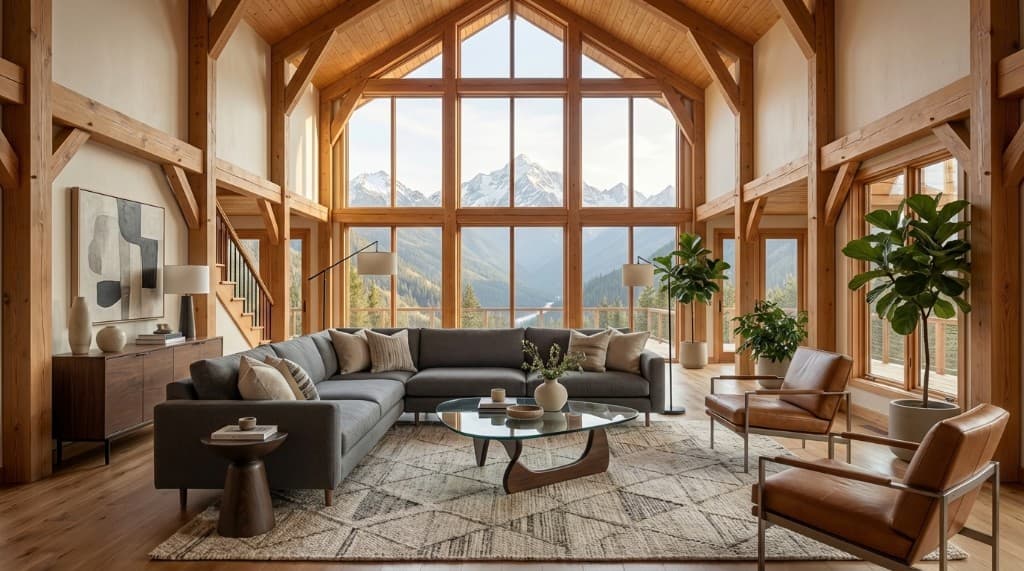
Airbnb and VRBO listings live and die by photo quality. A short-term rental that looks inviting and well-styled in its listing photos commands higher nightly rates and higher occupancy — the data from both platforms makes this clear. AI virtual staging lets you show multiple design visions for the same space: a cozy winter look for the ski season listing, an airy coastal look for the summer rental. You don't have to buy new furniture to present a different aesthetic.
New Construction Units Before Certificate of Occupancy
New apartment buildings and condo developments often need to begin lease-up before construction is complete. AI rendering lets you generate photorealistic interior visualizations from the actual unit dimensions and finish specifications — furniture placed in your real floor plan, with your actual flooring, paint colors, and kitchen materials. You can start marketing months before the first tenant can physically tour.
Luxury and High-End Rentals
At the premium end of the rental market — furnished apartments, executive rentals, luxury high-rises — photo quality directly affects what tenants will pay. A stunning AI-staged render of a penthouse living room with city views justifies a higher asking rent in a way that empty-room photos never could. The ROI on a single AI staging session is recoverable in the first week of occupancy at the higher rate.
Multi-Family Portfolio Management
For property managers overseeing 20, 50, or 200 units, AI virtual staging scales in a way that physical staging never can. Each unit gets a consistent quality of listing photography — not dependent on local staging availability, photographer schedules, or per-unit budget cycles. You can maintain a standard staging template (or style guide) that applies across the entire portfolio.
AI Virtual Staging vs Physical Staging for Rental Properties
| Factor | Physical Staging | AI Virtual Staging |
|---|---|---|
| Cost per unit | $800–$2,500+ | $5–$30 per render |
| Turnaround time | 2–5 days (schedule, deliver, photograph) | 15–30 minutes |
| Visible to tenants during tours | Yes — furniture physically present | No — listing photos only |
| Style flexibility | Limited to what stager has in inventory | Any style; unlimited iterations |
| Scalability | Linear cost per unit | Scales to any portfolio size |
| Photo quality | Professional photographer required | Smartphone + AI produces listing-ready images |
| Listing photo impact | High — looks staged in person and photos | High — listing photos look professionally staged |
| Disclosure requirement | None | Best practice to label as "virtually staged" |
The practical conclusion: for long-term rental listings where tenants see the empty unit in person during tours, AI staging serves the listing photo phase only — which is exactly where the decision to inquire is made. The unit doesn't need to be furnished for the in-person visit; tenants who inquired because the listing looked great will have already formed a positive first impression, and the empty space they tour will be evaluated against a mental benchmark set by the listing photo.
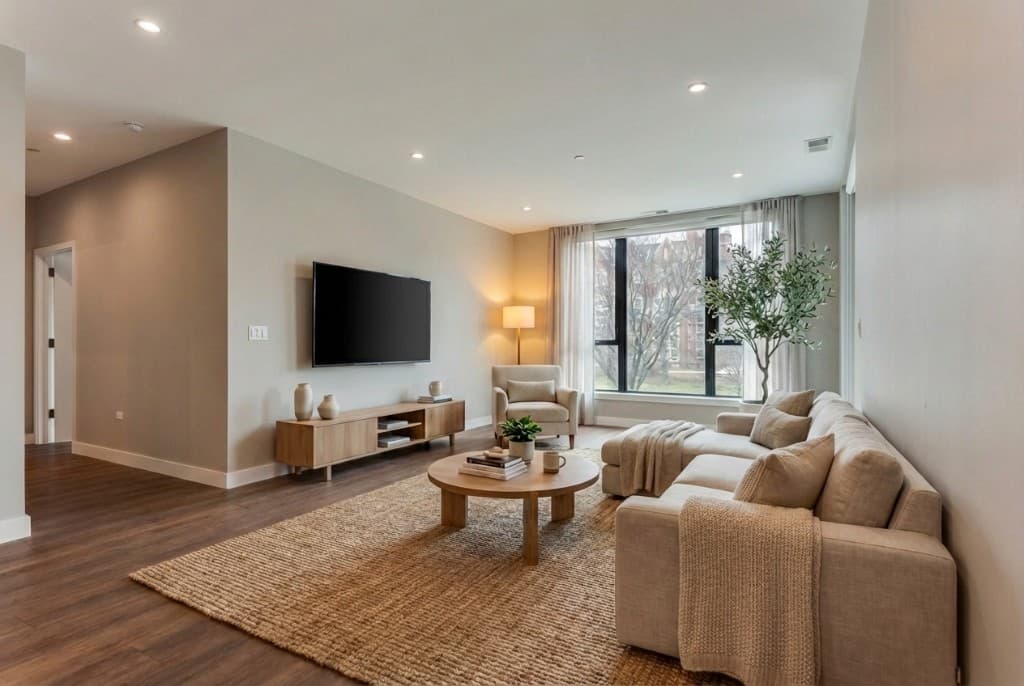
A modern living room render generated from an empty rental unit — ready for listing in under 30 minutes
How to Get the Best AI Staging Results for Rental Listings
1. Take Good Source Photos First
The quality of your AI staging output depends heavily on the quality of your input photo. A well-lit, level, sharp photo of an empty room gives the AI clear geometry to work with — and produces a render that looks accurate and natural. A blurry, poorly lit phone snapshot produces a result that looks off.
The basics: shoot in daylight with all lights on, clear the room of any remaining items, level the camera at roughly 4.5 feet, and stand in the corner opposite the main wall to capture as much of the space as possible. Our complete guide to source photo settings for AI rendering covers this in detail if you want to dial it in.
2. Stage the Rooms That Drive Inquiries
Not every room needs to be staged. Listing data consistently shows that the living room and the primary bedroom drive the most engagement. These are the rooms prospective tenants care most about when scrolling through a listing, and they're the ones where an empty photo does the most damage.
Stage these two rooms at minimum. For larger units, add the kitchen/dining area. Bathrooms and secondary bedrooms have lower visual impact per dollar spent — prioritize accordingly.
3. Match the Style to Your Target Tenant
AI staging lets you choose the design style of the rendered furniture — and this is a real strategic decision. A modern, minimalist staging style attracts a different tenant than a warm traditional style or an eclectic mid-century look. Think about who your ideal tenant is: young professionals in an urban studio benefit from a clean, contemporary aesthetic; a family-oriented three-bedroom does better with comfortable, livable staging; a luxury penthouse warrants designer-level furnishings and accessories.
You can generate multiple style variants from the same source photo and test which performs better in your listing — something that's simply not possible with physical staging.
4. Use Staged Renders as Your Primary Listing Photos
Once you have the staged renders, make them the lead photos in your listing — not secondary images buried after empty-room shots. The first photo in a rental listing is the thumbnail that appears in search results; if that's an empty room, most potential tenants won't click through.
Lead with your best staged living room render, followed by the bedroom, then the kitchen. Add one or two empty-room shots at the end of the gallery with a label like “virtually staged — unfurnished” so tenants have accurate expectations before the tour.
5. Disclose Clearly — and Keep It Simple
Virtually staged photos should be labeled. A simple caption like “Photo virtually staged — unit is unfurnished” or a small watermark in the corner is sufficient. This sets accurate expectations so that tenants who tour aren't surprised by an empty unit, and it keeps you on the right side of advertising standards. For a deeper look at what disclosure practices apply in your state, see our guide to virtual staging disclosure rules by US state.
The Economics: Does AI Staging Pay Off for Rentals?
For sale properties, the ROI math on staging is well-established: staged homes sell faster and often for more money. For rentals, the calculus is slightly different — there's no sale price to optimize, just days-on-market and achieved rent.
Here's a simple example. A two-bedroom apartment rents for $2,400 per month. An empty listing that takes 30 days to rent loses $2,400 in carrying costs. If AI staging reduces time-to-lease by even 10 days — a conservative estimate for a well-photographed listing versus a bare one — the landlord recovers $800 in avoided vacancy cost. At $10–$20 per staged room, a full-apartment staging session costs $30–$60. The ROI is immediate.
At scale — a property manager with 50 units, each turning over once per year — the math compounds quickly. Reducing average vacancy days by one week across the portfolio saves the equivalent of nearly a full month of rent per unit annually.
Quick ROI estimate for AI staging a rental unit
Frequently Asked Questions
Is AI virtual staging legal for rental listings?
Yes, with proper disclosure. Virtually staged photos are widely accepted on Zillow, Apartments.com, Craigslist, and Facebook Marketplace. The key is labeling staged photos clearly so prospective tenants know the unit is unfurnished. Most platforms and local advertising standards require that any digitally altered listing photo be disclosed — a simple caption or watermark satisfies this in virtually all jurisdictions.
Will tenants feel misled when they see an empty unit at the tour?
Not if you disclose clearly in the listing. Most prospective tenants understand the concept of virtual staging — it's widespread in real estate marketing. The important thing is that the staging photo accurately represents the room dimensions, layout, natural light, and materials of the actual space. AI staging should never make a small room look large, or obscure a structural issue. When the virtually staged photo is an honest representation of the space (with furniture added), tenants who tour are typically impressed that the unit matches expectations.
How many rooms should I stage for a rental listing?
For most rentals, stage the living room and primary bedroom — these two rooms drive the most inquiry volume. Add the kitchen/dining area for three-bedroom and larger units, or for luxury rentals where the kitchen is a selling point. Bathrooms rarely move the needle significantly in rental listings and can be skipped. The diminishing returns kick in quickly: two to three great staged photos typically outperform ten mediocre ones.
Can I use AI staging for furnished rentals?
Yes — though the use case is different. For furnished rentals, AI staging is more useful for showing different layout configurations or design upgrades you're considering, rather than staging an empty room. You can also use AI rendering to show the space in different lighting conditions (daytime vs. twilight) or seasons — useful for short-term rental listings that market year-round.
How does AI staging compare to hiring a virtual staging company?
Traditional virtual staging companies use designers who manually place furniture in your photo using 3D software — a process that takes 24–72 hours and costs $75–$200 per image. AI platforms like Rendershop do the same thing in 15–30 minutes at a fraction of the cost. For rental properties where speed and cost-efficiency matter most, AI staging is the clear choice. For high-end sales listings where you want a human design eye on the final output, a traditional virtual staging service may still be worth considering.
The Fastest Path from Vacant to Leased
The rental market is competitive, and tenants make decisions fast. A listing that appears with great furnished photos the day after a tenant moves out will consistently outperform a listing that waits two weeks for a physical staging appointment — or one that goes live with empty rooms because staging "wasn't worth it" for a rental.
AI virtual staging eliminates the cost-and-speed barrier that historically made staging a sale-property tool. Any landlord with a smartphone and a few minutes can produce listing photos that look like the unit was professionally staged and photographed. The vacancy reduction that results doesn't need to be large to pay back the cost many times over.
Check out Rendershop's staging features and our pricing to see how little it costs to give every vacant unit its best possible listing photos from day one.
Stage Your Rental Unit in 30 Minutes
Upload a photo of your empty unit and get photorealistic virtual staging that drives more inquiries — no furniture, no photographers, no waiting.
— The Rendershop Team