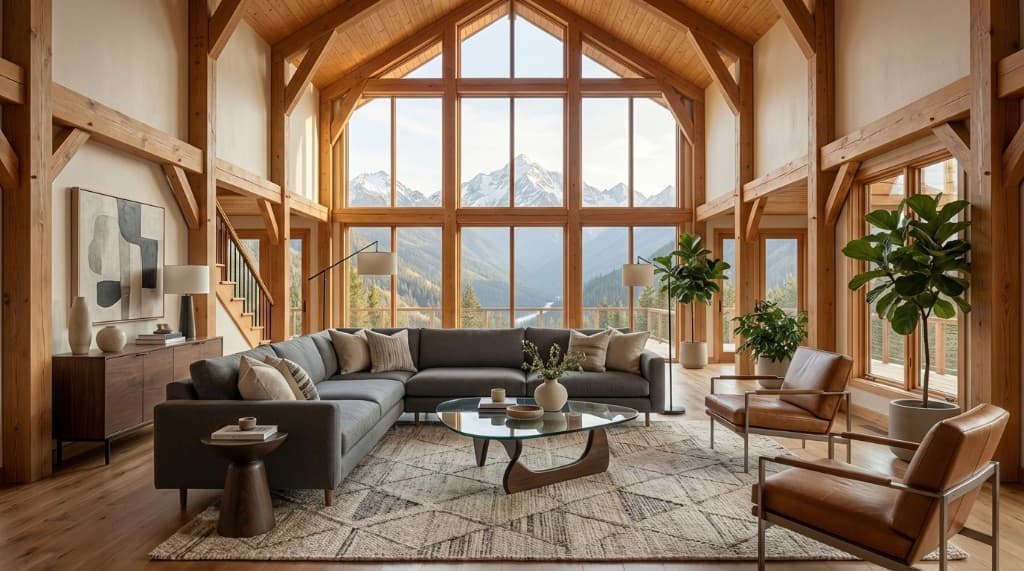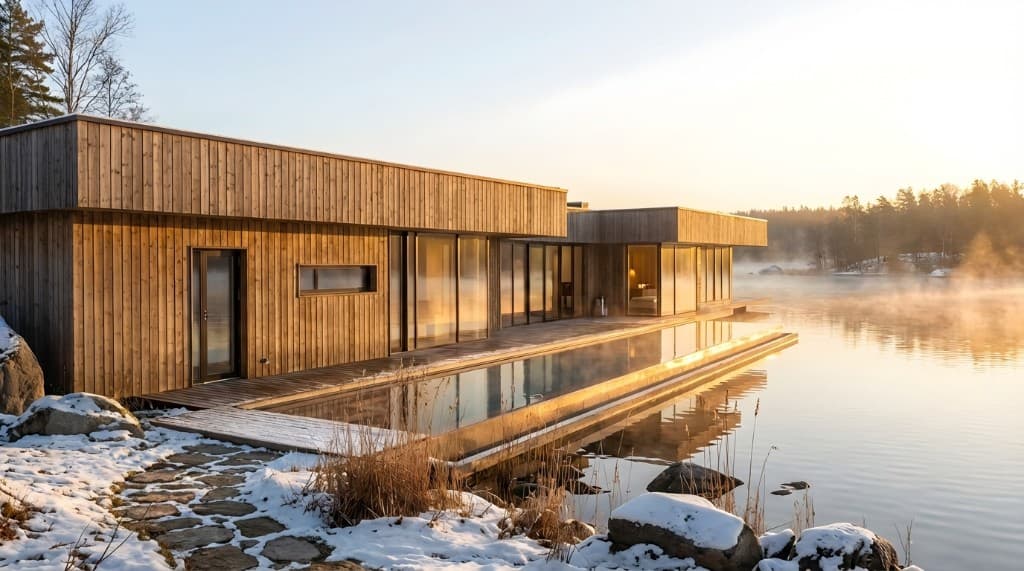
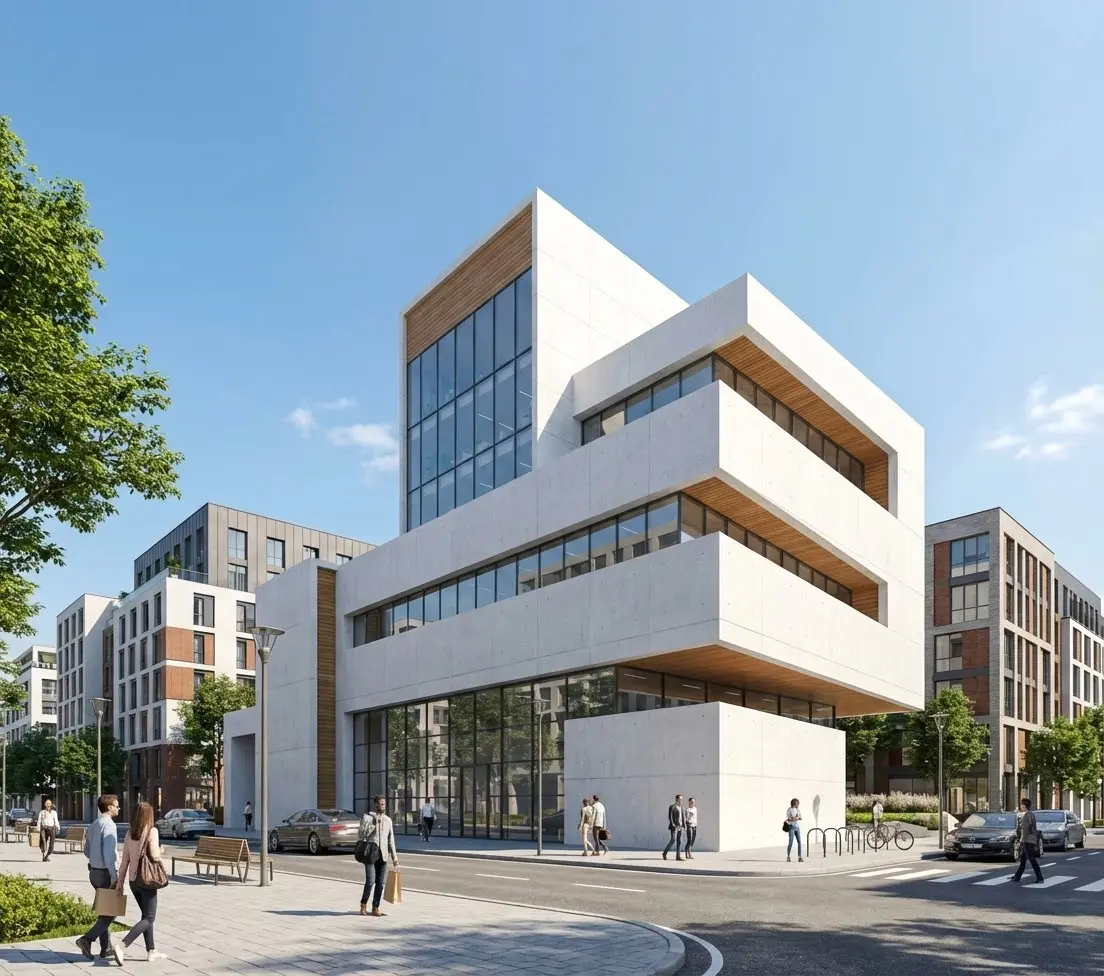
Most people who try AI rendering for the first time type something like "modern living room" and are surprised when the result feels generic. That's not a limitation of the AI — it's a prompting problem. AI rendering tools like Rendershop are powerful enough to produce photorealistic, client-ready images, but only when you give them enough information to work with. This guide breaks down exactly what that information looks like, with real examples you can adapt immediately.
Whether you're rendering interiors, exteriors, or working from a sketch-to-render workflow, the same core principles apply. Master them once and every project becomes faster.
Why Most AI Rendering Prompts Fail
Before building good prompts, it's worth understanding what makes bad ones. The most common failure modes are:
- Too vague: "Nice bedroom" gives the AI almost no signal to work with — it defaults to the most statistically average version of a bedroom it has seen.
- Missing materials: Style words like "modern" or "luxury" are interpreted differently by different people. Materials (marble, oak, concrete, linen) are unambiguous.
- No lighting information: Lighting is one of the biggest contributors to photorealism, and it's also one of the easiest things to specify. Omitting it means you get whatever the AI defaults to.
- Overloading with conflicting instructions: Asking for a "rustic industrial Scandinavian farmhouse" in a single prompt creates contradictions the AI resolves inconsistently.
- Describing what you don't want: Negative framing ("no clutter," "not too dark") is far less effective than describing the positive state you want ("clean, minimal surfaces," "bright ambient light").
The Four-Part Prompt Framework
Every strong AI rendering prompt contains four layers of information. You don't need to write them in order — but you do need to include all four to get consistently excellent results.
1. Space type & architectural style
What is the room or building? What design language is it speaking? Be specific about both — "open-plan kitchen and dining room in a Japandi style" is far better than "kitchen."
2. Materials & finishes
Name the materials you want to see: flooring (white oak, poured concrete, large-format porcelain), surfaces (honed Calacatta marble, brushed brass, matte black steel), textiles (linen, bouclé, velvet). These are the clearest signal the AI can receive.
3. Key furniture, fixtures & layout
Describe the major pieces and their rough positions. "Low-slung sectional centered on a jute rug, built-in shelving on the back wall, pendant lights over a 10-foot island" gives spatial structure to the render.
4. Lighting & atmosphere
Time of day, direction of light, quality of light. "Warm late-afternoon sunlight entering from the left, soft ambient fill, no harsh shadows" will produce a completely different image than "overcast morning light."
With these four layers in place, you've given the AI everything it needs to produce a specific, on-brand result — not a generic interpretation.
Interior Prompt Examples by Style
The following examples follow the four-part framework and are ready to use (or adapt) directly in Rendershop. They're organized by design style so you can find the closest match to your project brief.
Japandi / Wabi-Sabi
"Japandi living room with wide-plank white oak flooring, low-profile walnut sofa in oatmeal linen, ceramic table lamp with a paper shade, single bonsai on a stone plinth, minimal built-in shelving in warm white with open niches, tatami-style woven rug, soft diffused morning light through shoji-style screens on the left wall"
Modern Luxury
"Contemporary luxury master bedroom, honed Nero Marquina marble feature wall behind the king bed, upholstered bed in deep forest green velvet, matching fluted nightstands in brushed gold, herringbone white oak floor, floor-to-ceiling sheer white drapes, warm ambient lighting with concealed LED coves, late evening atmosphere"
Modern Farmhouse Kitchen
"Modern farmhouse kitchen with shaker-style white painted cabinets, thick butcher block island with unlacquered brass faucet and vintage-style bridge hardware, white subway tile backsplash with dark grout, open shelving displaying white ceramics and brass accents, wide plank white oak floor, bright midday light from a large window above the sink"
Industrial Loft
"Industrial loft dining room, exposed brick accent wall, polished concrete floor with deep gray tones, reclaimed wood and blackened steel dining table seating 8, mismatched vintage chairs in leather and woven rattan, cluster of Edison bulb pendants overhead, overcast daylight through steel-framed factory windows on two sides"
Coastal / Mediterranean
"Mediterranean coastal living room, whitewashed plaster walls with rough texture, terracotta tile floor with blue and white geometric inset, deep blue linen sofa with hand-embroidered throw cushions, large terracotta floor pots with olive trees, arched doorway to a sun-drenched terrace, bright midday light with strong directional shadows from the left"
Exterior Prompt Examples
Exterior renders require some additional attention to context — the surrounding landscape, time of day, and sky conditions all contribute significantly to the final image.
Midcentury Modern Residence
"Midcentury modern single-story residence, flat roof with wide overhanging eaves, floor-to-ceiling glass walls with dark mahogany frames, warm teak siding on the main volume, desert landscaping with agave and ornamental grasses, poured concrete path to the entrance, golden-hour lighting from the right casting long horizontal shadows across the facade"
Contemporary Urban Townhouse
"Contemporary urban townhouse, three stories, dark grey board-formed concrete facade, floor-to-ceiling glazing on upper level with matte black steel frames, cantilevered second floor with a planter box, small paved front courtyard with bamboo screens, overcast afternoon light creating even, shadow-free illumination on the facade, city street context visible in background"
Twilight / Dusk Exterior
"Modern lakehouse at twilight, cedar cladding exterior with a stone base, large panoramic windows glowing with warm interior light, deep blue dusk sky with pink and orange tones on the horizon, still lake reflecting the house in the foreground, landscape lighting on stone path leading to the dock, long exposure atmosphere"
For twilight and evening renders, describing the interior light as "glowing from inside" or "warm amber interior light visible through windows" is essential — it gives the render its characteristic drama.
Weak vs. Strong Prompt Comparison
Here's a side-by-side look at how the same general idea produces very different results depending on how specifically it's written:
| Scene | Weak Prompt | Strong Prompt | What's Added |
|---|---|---|---|
| Bedroom | Luxury modern bedroom | Contemporary luxury bedroom, honed marble feature wall, king bed in dusty rose velvet, brushed gold fixtures, herringbone oak floor, warm evening light | Materials, furniture, lighting |
| Kitchen | White kitchen with island | Transitional kitchen, white shaker cabinets, Calacatta Gold quartz countertops, matte black hardware, brass pendant lights over 10ft island, wide plank hardwood floor, bright morning light from east window | Specific stone, hardware, scale, direction of light |
| Exterior | Modern house exterior | Minimalist modern residence, black stucco facade, floor-to-ceiling glazing with thin steel frames, flat roof, gravel landscaping with ornamental grasses, golden-hour light from the left with long shadows | Material, architectural detail, landscape, lighting time and direction |
| Living Room | Scandinavian living room | Scandinavian living room, wide plank pine floor bleached white, low-profile cream wool sofa and matching armchair, birch plywood shelving, ceramic pendant lamp, single fiddle-leaf fig, soft overcast daylight from large north-facing window | Specific wood species and finish, textile materials, art/decor, window orientation and sky condition |
| Bathroom | Spa bathroom | Spa-inspired primary bathroom, floor-to-ceiling Arabescato marble slab walls, freestanding soaking tub in matte white, brushed nickel fixtures, recessed lighting with warm color temperature, walnut vanity with undermount sinks, foggy mirror with backlit halo, morning atmosphere | Specific stone pattern, fixture finish, tub style, lighting color temperature, vanity material |
Advanced Prompting Techniques
Layering Style References
When a project doesn't fit neatly into a single style label, you can blend two coherent styles. The key is choosing styles that share underlying values rather than conflicting ones:
- Works well: "Japandi with Art Deco accents" (both value restraint and craft)
- Works well: "Modern farmhouse with industrial touches" (complementary material palettes)
- Works well: "Coastal Mediterranean with Moroccan tile detail" (both are warm, tactile, handcrafted)
- Avoid: "Minimalist maximalist" — directly contradictory
- Avoid: "Rustic ultra-modern" — too wide a contrast without clear resolution
Specifying Photography Style
AI rendering tools respond well to photography and camera language. Adding a brief description of the "shot" can significantly improve the professional quality of the result:
- • "wide-angle architectural photography" — captures more of the space, corrects perspective
- • "shot from a low camera angle" — makes ceilings feel taller, gives drama to furniture
- • "editorial interior photography" — pulls in a magazine-quality aesthetic
- • "luxury real estate photography" — bright, clean, flattering
- • "atmospheric long-exposure photograph" — for twilight exterior scenes
Controlling Mood with Weather and Sky
For exteriors and any space with windows, sky and weather conditions dramatically affect mood. A few reliable combinations:
- Golden hour (warm, dramatic): "late afternoon sun, low angle, golden light, long horizontal shadows"
- Overcast (clean, even): "overcast sky, soft diffused daylight, no harsh shadows, flat even illumination"
- Bright midday (crisp, high-contrast): "clear blue sky, direct overhead sun, crisp shadows"
- Blue hour / twilight: "dusk, deep blue sky, buildings and interior lights glowing, long exposure atmosphere"
- Overcast winter (cool, subdued): "pale winter light, cool grey sky, muted tones"
Input Photo Quality: The Other Half of a Good Render
Prompts work together with the input photo — a detailed prompt can't rescue a poor source image. When capturing or selecting your input photo:
- Shoot from a corner (interiors) or from a slight elevation (exteriors) to capture the full spatial context.
- Use natural light wherever possible — flat artificial overhead lighting reduces render quality.
- Keep the camera level — tilted perspectives confuse the AI's spatial interpretation.
- Minimum 1080p, ideally 4K — higher input resolution yields sharper output.
- Remove clutter and distracting objects — cleaner input gives AI clearer architecture to work with.
- For exteriors: shoot at the same time of day as the lighting you want in the render.
See our features page for more detail on how Rendershop's rendering engine interprets input photos and how to get the best out of each render mode.
Frequently Asked Questions
How long should an AI rendering prompt be?
A well-structured prompt typically runs 40–100 words for interior spaces and 50–120 words for exteriors. Shorter than 30 words usually lacks enough specificity; longer than 150 words often introduces contradictions or dilutes the AI's focus. Quality and specificity matter more than length — a tight 50-word prompt covering all four layers will outperform a rambling 200-word description.
Should I describe what I don't want in the prompt?
Positive descriptions consistently outperform negative ones. Instead of "no dark walls" or "not cluttered," describe the positive state: "light cream walls" and "minimal surfaces with few objects." AI rendering tools are optimized to generate what you describe, not to suppress what you don't want. Use the Edit tool for removing or changing specific elements after the initial render.
Can I reference specific brands or products in my prompt?
You can reference brands to anchor a style ("Restoration Hardware aesthetic," "Fritz Hansen chair") and the AI will produce something stylistically similar. For exact product reproduction, describe the piece in precise detail: dimensions, material, silhouette, color. The result will be a close match in style, even if not pixel-accurate to the specific product.
Why do I get different results from the same prompt?
AI rendering has inherent variability — the same prompt will produce slightly different outputs each run. This is a feature, not a bug: generating 3–4 variations with the same prompt gives you options to present to clients. To reduce variability and anchor toward a specific look, add more specific material and lighting language to your prompt. Rendershop's creativity slider also controls how much the AI interprets vs. replicates your description.
How do I render something that doesn't have a clear style label?
Skip the style label entirely and go straight to materials, forms, and atmosphere. "Warm, textured, handcrafted feel" as a label is less useful than "rough plaster walls in warm sand, exposed ceiling joists in aged oak, hand-thrown ceramic fixtures, candlelight warmth." Materials and atmosphere are unambiguous — style labels are just shorthand for those things anyway.
Better Prompts, Better Renders — Starting Now
Prompt writing is a learnable skill that gets faster with practice. The first few times you apply the four-part framework — space type, materials, layout, lighting — it takes deliberate effort. After a dozen projects, it becomes second nature and you'll produce strong first-pass renders most of the time.
The highest-leverage habit you can build: keep a personal library of prompts that have produced results you love. Annotate them with what worked, adapt them for new projects, and iterate from a known-good baseline rather than starting from scratch each time.
For pricing details on how many renders you can produce per project, see the Rendershop pricing page.
Put These Prompts to Work
Create a free Rendershop account and get 50 credits to start generating photorealistic renders with the prompts from this guide. No credit card required.
— The Rendershop Team