Commercial real estate brokers, landlords, and developers face a consistent marketing problem: the spaces they need to lease or sell are often at their least appealing at the moment they go to market. A freshly vacated office suite shows nothing but carpet tiles and acoustic ceiling panels. A ground-floor retail shell is a box of concrete block and conduit. A warehouse flex space looks like a dim, echoing void.
Prospective tenants and buyers are expected to mentally transform these blank spaces into functioning businesses — and most of them can't. The result is longer vacancy periods, more site tours, and deals that stall because the tenant "just couldn't picture it."
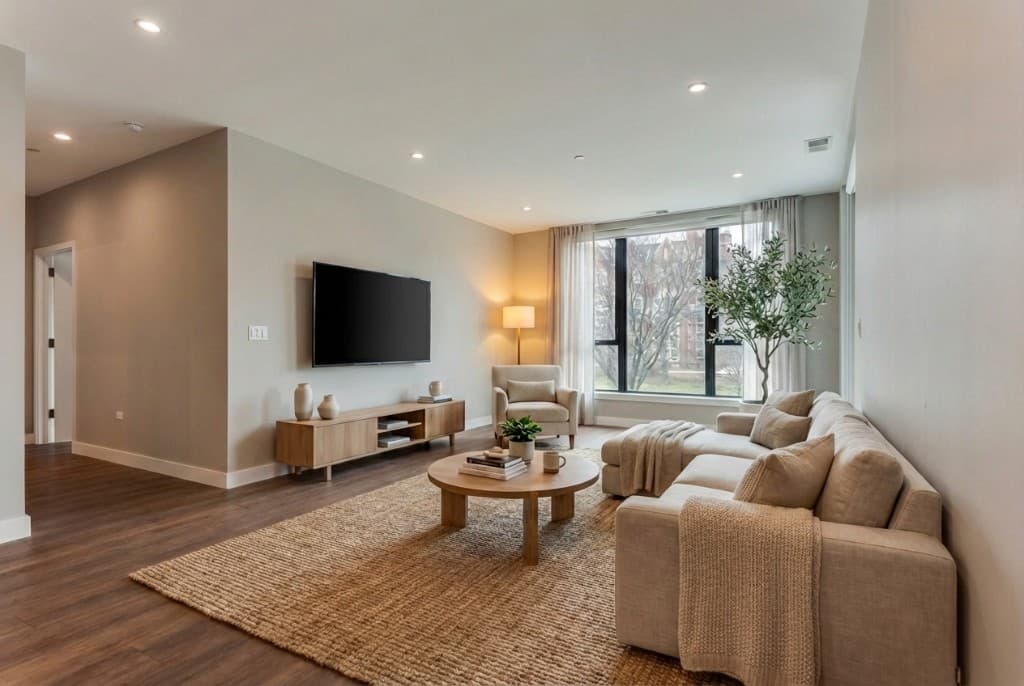
AI staging for vacant commercial spaces solves exactly this problem. Upload a photo of the empty space and use a prompt to specify the intended use — open-plan tech office, boutique retail, restaurant, co-working lounge, medical suite — and the AI produces a photorealistic furnished visualization in minutes, showing the space as it could actually look when occupied. No physical staging furniture, no 3D modeling, no expensive CGI studio.
This guide covers the full commercial staging workflow: what spaces benefit most, how to write effective prompts for each use type, what to watch out for, and how to integrate AI-staged images into your leasing and sales marketing.
Why Commercial Spaces Are Harder to Market Than Residential — and What Changes with AI
Virtual staging for residential real estate is well established: vacant bedrooms and living rooms get digital furniture added so that online listings look appealing. Commercial staging has lagged behind for two reasons.
First, commercial spaces are more varied and complex. A residential bedroom is always a bedroom. But a 5,000 sq ft floor plate could be an open-plan tech office, a law firm, a medical suite, a co-working space, a showroom, or a photography studio — each requiring completely different furniture, layout, and atmosphere. Traditional staging vendors couldn't economically produce six variations of the same space.
Second, the decision-making audience is more sophisticated. Commercial tenants — company real estate managers, franchise operators, medical practice owners — are experienced at reading leasing brochures and touring raw spaces. But even experienced commercial tenants struggle to visualize a shell space as a functioning business environment, especially when evaluating multiple properties at once.
AI staging addresses both issues. Because the AI produces visualizations from a text prompt rather than physical furniture, producing six different use-type visualizations of the same raw space takes 20 minutes rather than six separate staging shoots. And because the results are photorealistic rather than obviously computer-generated, they give commercial tenants the spatial and atmospheric context they need to make a confident leasing decision.
Commercial Space Types That Benefit Most from AI Staging
Office Space (Class A, B, and Flex)
Empty offices — from Class A tower suites to suburban flex buildings — are the most common commercial staging use case. The key is matching the staged furniture and layout to the target tenant profile:
- Tech and creative firms: open-plan desking, exposed services, raw concrete or polished floors, collaborative furniture, branded accent colors, a relaxed and energetic feel
- Professional services (law, finance, consulting): private offices, conference room setups, traditional wood or leather finishes, formal and polished
- Healthcare and medical: clinical furniture, reception layout, exam room configuration, sterile white and clinical blue palette
- Executive suites and co-working: modular hotdesking, lounge seating, phone booths, coffee station, a modern and hospitality-forward atmosphere
Showing the same raw floor plate as multiple tenant types — in separate staged images — dramatically broadens the marketing reach of a single listing.
Retail and Restaurant Space
Ground-floor retail and restaurant shells are among the most common commercial vacancies — and among the hardest to present compellingly in their unfitted state. A raw shell unit is an empty concrete box. An AI-staged retail space shows merchandise displays, track lighting, and branded signage. An AI-staged restaurant shows table settings, pendant lighting over the bar, and a full dining room atmosphere.
For food and beverage operators — who are making a significant fit-out investment based on the space's potential — a photorealistic render of what the space could look like as a specific restaurant concept is a far more compelling marketing asset than a photo of bare block walls and a subfloor.
Industrial and Warehouse Flex
Warehouse and industrial flex spaces are difficult to stage physically — they're large, often poorly lit for photography, and span a range of potential uses. AI staging can visualize the same warehouse unit as a last-mile fulfillment operation (racking, conveyor equipment), a light manufacturing space (workbenches, equipment), an event venue (trestle tables, string lights, a crowd), or a creative studio (photography cyclorama, production gear).
These variations address completely different tenant types and communicate a flexibility that "warehouse/flex for lease — ask for details" listings never achieve.
Mixed-Use Ground Floor
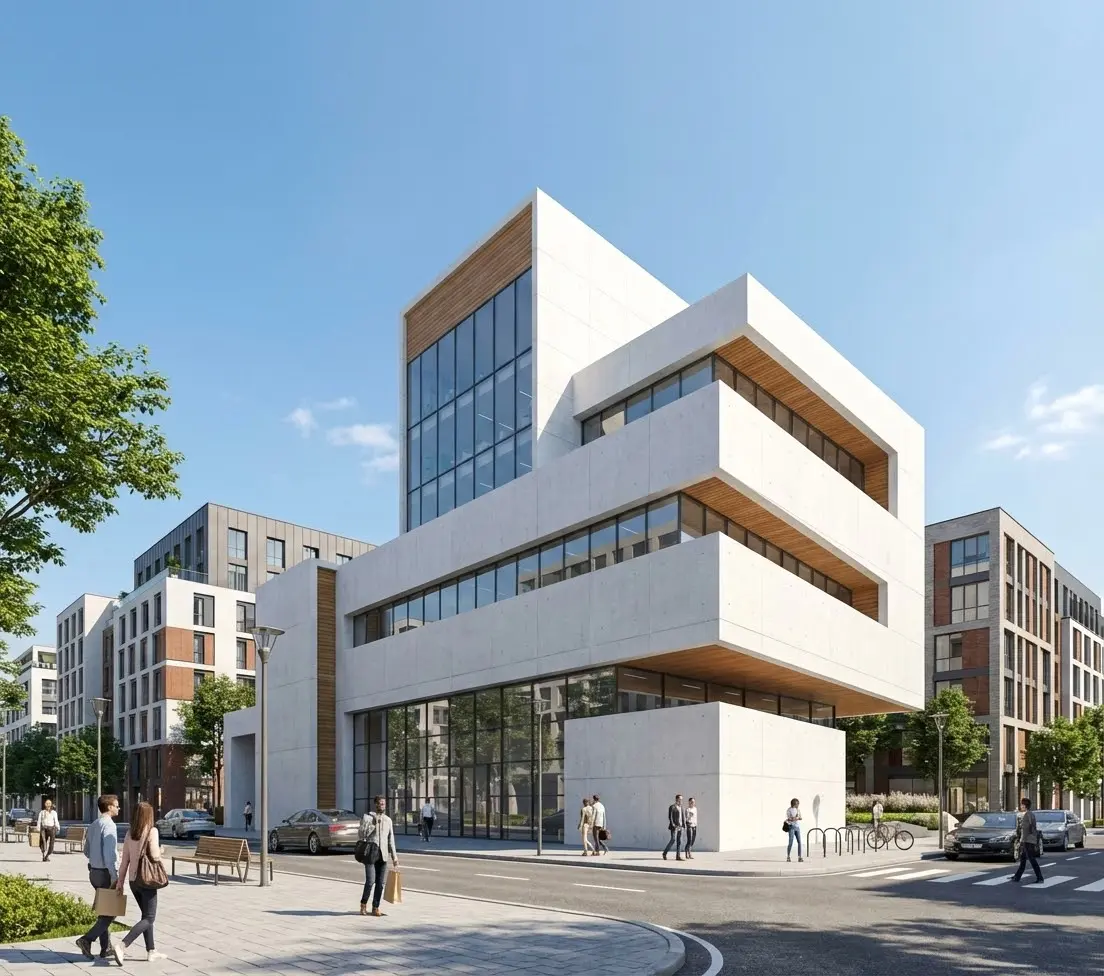
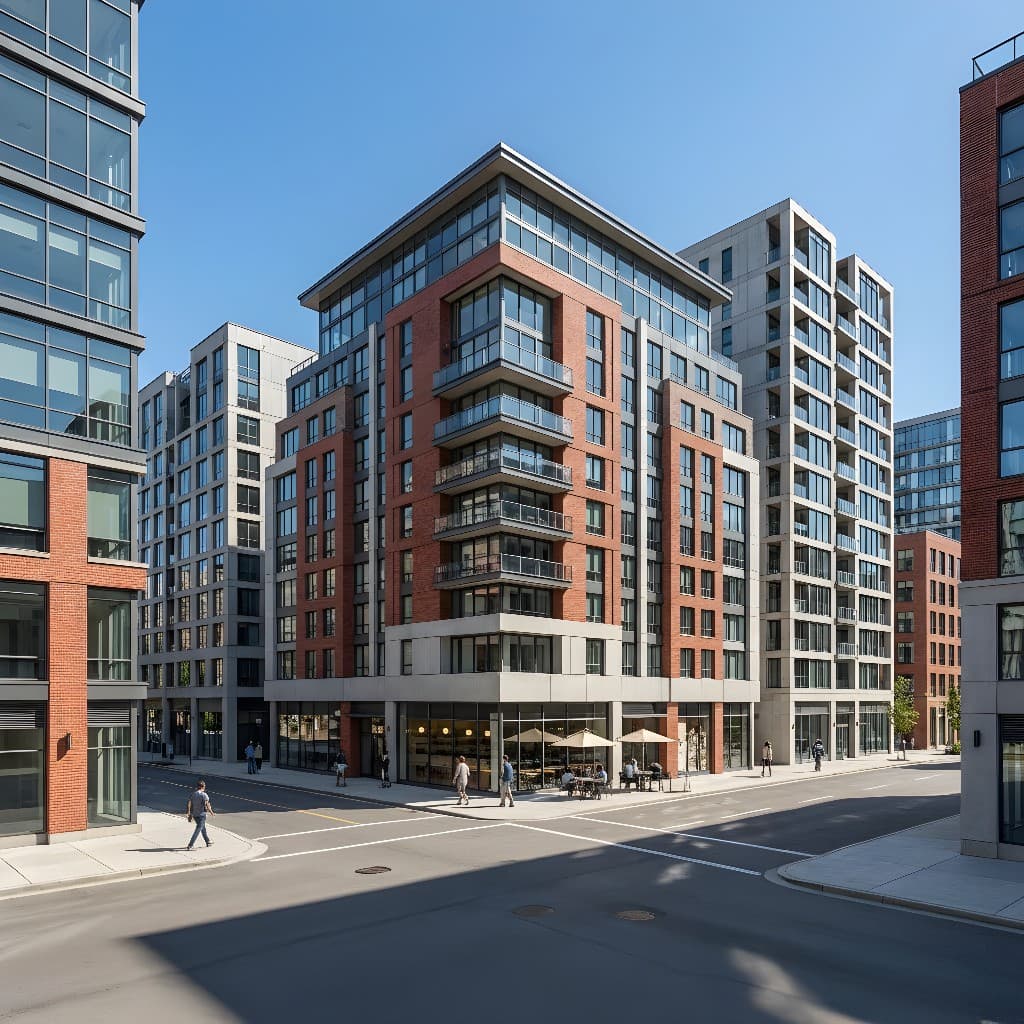
New mixed-use buildings with ground-floor commercial space often go to market before the building is occupied, which means the retail units are concrete shells with no architectural finishes yet installed. AI staging — applied to a concept image or construction-phase photo — can show what the activated ground floor will look like at opening, supporting the leasing campaign and attracting pre-opening tenants.
How to Photograph a Commercial Space for AI Staging
The quality of your input photo is the primary driver of AI staging quality. Commercial spaces present specific photography challenges that residential rooms don't:
Lighting
Many vacant commercial spaces have only basic construction lighting — a few bare fluorescent tubes — which produces ugly overhead shadows and flat illumination. For AI staging, this is actually workable: the AI can add dramatic commercial lighting in the staged version regardless of the quality of the construction lighting in the photo. What matters is that you can see the space geometry clearly — ceiling height, window placement, column positions, floor finish, and wall conditions.
If the space has operational lighting, turn everything on before photographing. Mixed lighting sources (daylight windows plus overhead fluorescents) can produce color casts — shoot at a consistent white balance, or in RAW format if you're shooting with a camera rather than a phone.
Lens and Framing
Commercial spaces benefit from a wider lens than you'd use for a residential room — a 16–24mm equivalent on a full-frame camera, or the wide setting on a phone with multiple lenses. Shoot from a corner or the entrance to capture the maximum depth of the space. Ensure verticals are straight: converging vertical lines in commercial photography make spaces look smaller and are harder for the AI to work with.
For large open-plan floors, consider shooting a panoramic sequence and stitching it — or shooting multiple angles (from each corner, from the center) to give yourself multiple staged views to work from.
Remove Construction Debris
Before photographing, remove any construction materials, tools, cardboard, or temporary signage visible in the frame. The AI will work around minor clutter, but a clean space produces a cleaner staged result. Pay particular attention to the foreground of the shot, which is where clutter is most distracting.
Writing AI Staging Prompts for Commercial Spaces
Commercial staging prompts follow the same general structure as residential prompts — but the vocabulary is different. Here's what to include:
- Space type and intended use: what kind of business will operate here (open-plan tech office, boutique retail clothing store, casual dining restaurant, medical waiting room, co-working space)
- Furniture and equipment: the specific items that characterize this use (standing desks, conference table, reception desk, retail display fixtures, bar counter, medical exam table, lounge seating)
- Finish and material quality: budget/mid-market/premium, and specific material preferences (polished concrete, engineered wood floor, carpet tiles, glazed partition walls)
- Lighting atmosphere: warm and welcoming, bright and clinical, dramatic retail downlights, soft ambient co-working, industrial exposed-pipe warehouse lighting
- Occupancy and atmosphere: should the space show people working? A staffed reception? An empty but furnished showroom ready for tenants to visualize? Empty-but-staged is safest for leasing marketing; people can be added for lifestyle/marketing campaigns
- Brand/style cues: if marketing to a specific tenant profile, add a style descriptor — "Scandinavian minimal" for a design firm, "industrial loft aesthetic" for a creative studio, "clinical and hygienic" for medical
Prompt Examples for Common Commercial Types
Open-Plan Tech Office
"Modern open-plan tech office, rows of white standing desks with dual monitors, ergonomic chairs, acoustic ceiling baffles in dark grey, polished concrete floor, floor-to-ceiling windows with city view, planting along window wall, collaborative lounge zone with couches and coffee table in foreground, bright ambient lighting with warm accents, contemporary Scandinavian minimal aesthetic, photorealistic commercial interior render"
Boutique Retail Store
"Boutique fashion retail interior, curated clothing racks in matte black metal, floating shelves with folded merchandise, full-length mirrors, warm track lighting from exposed ceiling rail, engineered oak wood floor, minimalist cash wrap counter at back, neutral white and warm grey palette, premium and editorial feel, high-end retail, photorealistic commercial staging render"
Casual Dining Restaurant
"Casual dining restaurant interior, mix of two-top and four-top tables with wooden chairs, open kitchen visible through pass-through window at back, pendant lights over bar counter on left, exposed brick accent wall, warm Edison bulb lighting, terracotta and dark wood color palette, relaxed neighborhood bistro atmosphere, tables set with napkins and cutlery, photorealistic commercial interior staging"
Medical Waiting Room
"Medical office waiting room, reception desk at entry with frosted glass privacy panel, upholstered waiting chairs in calming blue-grey, coffee table with magazines, recessed ceiling lighting warm white, vinyl plank flooring in light oak, potted plant in corner, clean and professional medical aesthetic, welcoming and non-clinical feel, photorealistic commercial staging render"
For more on prompt structure and iteration, see our complete AI rendering prompts guide, which covers the four-part framework applicable to any space type.
AI Staging vs. Traditional Commercial Marketing Options
| Method | Turnaround | Cost | Flexibility | Best For |
|---|---|---|---|---|
| AI Staging (Rendershop) | 1–10 minutes | Cents–few dollars | Multiple use types instantly | All commercial types, fast iteration |
| Physical staging (commercial) | 1–3 weeks | $3,000–$15,000+/space | One use type per staging | High-value trophy assets |
| 3D CGI (outsourced) | 5–14 days | $1,500–$5,000/image | Fully custom | New development pre-leasing |
| Empty-space photography | Same day | $200–$500/shoot | None — shows raw space | Required for CoStar/LoopNet listings |
| Floor plan only | Hours | Minimal | Technical only | Supplement to photography |
Multi-Use Visualization: The Commercial AI Staging Advantage
The most powerful commercial application of AI staging is one that has no equivalent in the physical world: showing the same raw space as multiple different use types in the same marketing package.
A 3,500 sq ft ground-floor shell unit might realistically appeal to a restaurant, a fitness studio, a medical clinic, a co-working operator, or a showroom tenant. In traditional commercial marketing, you pick one positioning and go with it — you can't physically stage for five use types simultaneously.
With AI staging, you can produce a full set of visualizations in under an hour:
- A rendered restaurant dining room with bar and open kitchen
- A rendered fitness studio with mirrors, equipment, and motivational lighting
- A rendered medical reception and waiting area
- A rendered co-working lounge and hot-desk area
- A rendered retail showroom with product display and service counter
Each set of images is targeted at a different prospective tenant audience and can be served to them specifically — through targeted digital ads, direct broker outreach, or a dedicated leasing microsite. Rather than marketing one generic "available space," you're marketing five specific business opportunities in the same building.
This approach significantly expands the effective reach of a commercial listing without any additional photography or physical preparation of the space.
Where to Use AI-Staged Commercial Images
CoStar, LoopNet, and Commercial Listing Platforms
Commercial listing platforms allow multiple photos per listing. Leading with two or three AI-staged images — followed by standard empty-space photography — immediately differentiates your listing from the sea of plain shell photos. Always caption AI-staged images clearly: "Conceptual rendering — illustrative of potential use." CoStar and LoopNet permit artist's impression images as long as they're labeled.
Leasing Brochures and PDF Packages
A high-quality leasing brochure with AI-staged imagery communicates a level of professionalism and investment in the listing that raw construction photos never achieve. Tenants and their representatives receive dozens of brochures — the ones with compelling imagery get read; the ones with dim fluorescent-lit empty photos get filed.
Investor and Lender Presentations
For developers and landlords presenting to investors or construction lenders, AI-staged images of planned or recently vacated commercial space help convey the asset's highest-and-best-use potential. A value-add office building with vacancy looks very different in a deck with rendered occupied spaces than it does with a photo of empty suites. See also our guide on pre-construction marketing renders for the broader development context.
Social Media and Digital Advertising
AI-staged commercial spaces perform better than empty-space photography on social platforms. A LinkedIn ad showing a beautifully staged tech office — captioned "Available: 4,200 sq ft — your next HQ" — generates more engagement than the same space photographed empty. Use portrait-oriented staged crops for Instagram and Stories; landscape for LinkedIn and display advertising.
What AI Commercial Staging Handles Well — and Where to Be Careful
What works extremely well
- Open-plan office staging — the AI handles generic commercial furniture and layouts convincingly
- Restaurant and café atmospheres — lighting, seating, and bar setups render photorealistically
- Retail environments — display fixtures, track lighting, and merchandise staging look compelling
- Lighting transformations — the AI dramatically improves the lighting atmosphere regardless of the source photo's lighting quality
- Multi-use variations — producing five different use-type renders from one photo in 30 minutes
Where to use care
- Specific branded furniture — the AI renders generic commercial-quality furniture, not specific manufacturers' pieces
- Precise dimensions — staged renders are not to scale and should not be used in lieu of floor plans for space planning
- Structural changes — the AI may not accurately preserve column positions, slab soffits, or structural features in complex spaces; always disclose the space's actual structural constraints
- Disclosure — always label AI-staged images clearly as "Conceptual rendering — illustrative of potential use" in all marketing materials and listings
Frequently Asked Questions
Is it legal to use AI-staged images in commercial property listings?
Yes, with proper disclosure. AI-staged images are artist's impressions of the space's potential, similar to architect's renderings used in new development marketing for decades. CoStar, LoopNet, and major commercial listing platforms permit them as long as they are labeled as conceptual renderings. Always include a caption such as "Conceptual rendering — illustrative of potential use" on all AI-staged images. Misrepresenting a staged render as a photograph of the actual current condition would be a disclosure issue; clear labeling avoids this entirely.
Can AI staging show a specific tenant's branding — like a specific restaurant chain's color scheme?
You can describe a color palette and general brand aesthetic in the prompt — "warm earth tones, terracotta and wood, neighborhood Italian restaurant" — and the AI will produce a result consistent with that character. Reproducing specific trademarked brand elements (a specific chain's logo, signage, or signature interior design) is not recommended without that brand's permission. For targeted tenant recruitment — reaching out directly to a specific operator — describe their aesthetic in general terms rather than reproducing specific trademarked elements.
How many AI-staged variations should I produce for a commercial listing?
Two to four variations is usually the right range for a listing. More than four becomes diluted — you're signaling that you don't have a clear target tenant. For a space with one obvious best use (a restaurant-zoned ground floor, a medical office park), produce one to two renders that show the space at its best in that use type. For a generic flex space with multiple possible tenants, produce two to three different use-type renders and lead each broker outreach effort with the most relevant one. Always pair staged renders with clean empty-space photography for compliance and as a spatial reference.
Can AI staging be used for occupied spaces undergoing lease-up — where the current tenant is still in place?
Yes — this is actually a common use case for commercial buildings with upcoming vacancy. Photograph the space while occupied (with the current tenant's permission), then use AI to rerender it as empty and refurnished in the new target use type. This is sometimes faster than waiting for the space to be vacated before beginning marketing. You can also use AI to virtually "clear" a photo of an occupied space — replacing the existing tenant's furniture and branding with a blank canvas or target-use staging.
What resolution or format should I export AI-staged commercial images for leasing brochures?
For print brochures, export at the highest resolution available — typically 300 DPI at the intended print size, minimum 2400px on the long side. For digital use (CoStar, email, web), 1920px wide is sufficient. Rendershop outputs high-resolution images suitable for both digital and print use. For large-format signage or banners, request the maximum output resolution and upsample if needed — AI-staged images generally upscale well because their surfaces are inherently smooth rather than photographically grainy.
The Bottom Line
Commercial real estate vacancy marketing has historically been stuck with a binary choice: spend significant money on physical staging or professional CGI for a high-value asset, or list the space with flat construction photos that communicate nothing about its potential.
AI staging breaks that trade-off. Upload a photo of the empty space, write a prompt describing the intended use, and produce a photorealistic furnished visualization in minutes for a fraction of the cost of any traditional option. Produce multiple use-type variations and target them to the right prospective tenants. Lead every leasing brochure, CoStar listing, and broker pitch with imagery that shows the space at its best rather than at its blankest.
The result is a faster leasing process, more qualified tenant inquiries, and fewer site tours that end in "we just couldn't picture ourselves in the space." That's a direct, measurable ROI from a tool that costs cents per image.
Stage Your Commercial Space in Minutes
Upload a photo of your vacant office, retail, or flex space and transform it into a photorealistic furnished visualization. Try Rendershop free — no credit card required.
— The Rendershop Team