A landscape plan looks like a hieroglyph to most clients. Bubble diagrams, planting schedules, and overhead grading drawings communicate exactly what a trained designer needs — and almost nothing that a homeowner, developer, or HOA board actually responds to. The gap between what the plan says and what the client imagines is where projects go sideways: scope creep, late change orders, and disappointed clients who say "I didn't realize the hedge would be that tall."
AI rendering for landscape design solves that communication problem without requiring a 3D landscape model, a rendering subscription, or weeks of back-and-forth with a visualization specialist. Upload a photo of the existing site, a sketch of the proposed design, or a massing view of the project — and produce a photorealistic outdoor visualization in minutes that shows exactly how the finished landscape will look, at the right season, in the right light.
This guide covers the full workflow: what inputs work, how to write prompts for outdoor spaces, what landscape elements the AI handles well, and how to use AI renders across the design and approval process.
Why Landscape Visualization Is Uniquely Difficult — and Why AI Changes That
Interior renders are hard. Exterior architectural renders are harder. Landscape renders have historically been hardest of all — because outdoor spaces involve organic, unpredictable elements (plants, water, soil) that are expensive to model and nearly impossible to photograph at their intended maturity before you plant them.
Traditional landscape visualization options were all expensive in different ways:
- 3D landscape modeling: requires specialized software (Lumion, Vectorworks, Land F/X) and a skilled operator. A single rendered view can cost $800–$2,500 from a studio.
- Photomontage: paste stock photography of plants onto a site photo. Fast but unconvincing — clients can see the compositing.
- Presentation boards with plant images: show individual plant photos labeled "Japanese maple — mature height 20 ft." Accurate but impossible to spatially understand.
- 3D walkthroughs: expensive to produce, and plants in game-engine renderers rarely look convincingly organic.
AI rendering sidesteps all of these. The AI has learned from millions of real outdoor photographs — real gardens, real patios, real pools, real streetscapes — so it produces organic-looking vegetation, believable water surfaces, and convincing seasonal lighting without requiring any plant-by-plant modeling. You describe what you want in the prompt; the AI fills in the photorealistic detail.
What Types of Landscape Projects Benefit Most
AI landscape rendering is useful across a wide range of project scales. Here's where it delivers the clearest ROI:
Residential Outdoor Living
Patios, decks, pools, spas, outdoor kitchens, pergolas, and fire features. These are high-spend residential projects where clients are making a $30,000–$150,000+ decision based on a 2D plan they can barely read. A photorealistic AI render showing the finished patio from a seating-level perspective — at golden hour, with the correct pavers, furniture scale, and planting — converts hesitant clients and eliminates "I didn't picture it this way" disputes during construction.
Garden and Planting Design
Garden designers and landscape architects can visualize a proposed planting scheme as it will look at peak summer bloom, in autumn color, or at five-year maturity. This is something no 2D plan can convey and even 3D software struggles to render convincingly. The AI handles organic plant forms — flowering perennials, ornamental grasses, layered shrubs — far better than hand-modeled 3D plants.
Multifamily and Mixed-Use Amenity Spaces
Rooftop terraces, courtyard amenities, pool decks, and dog runs for multifamily projects. Developers need to market these spaces to buyers and renters before construction. AI renders of the amenity deck — with lounge furniture, planters, pergola structure, and a city skyline backdrop — are core marketing assets that previously required expensive CGI.
Commercial Streetscapes and Public Realm
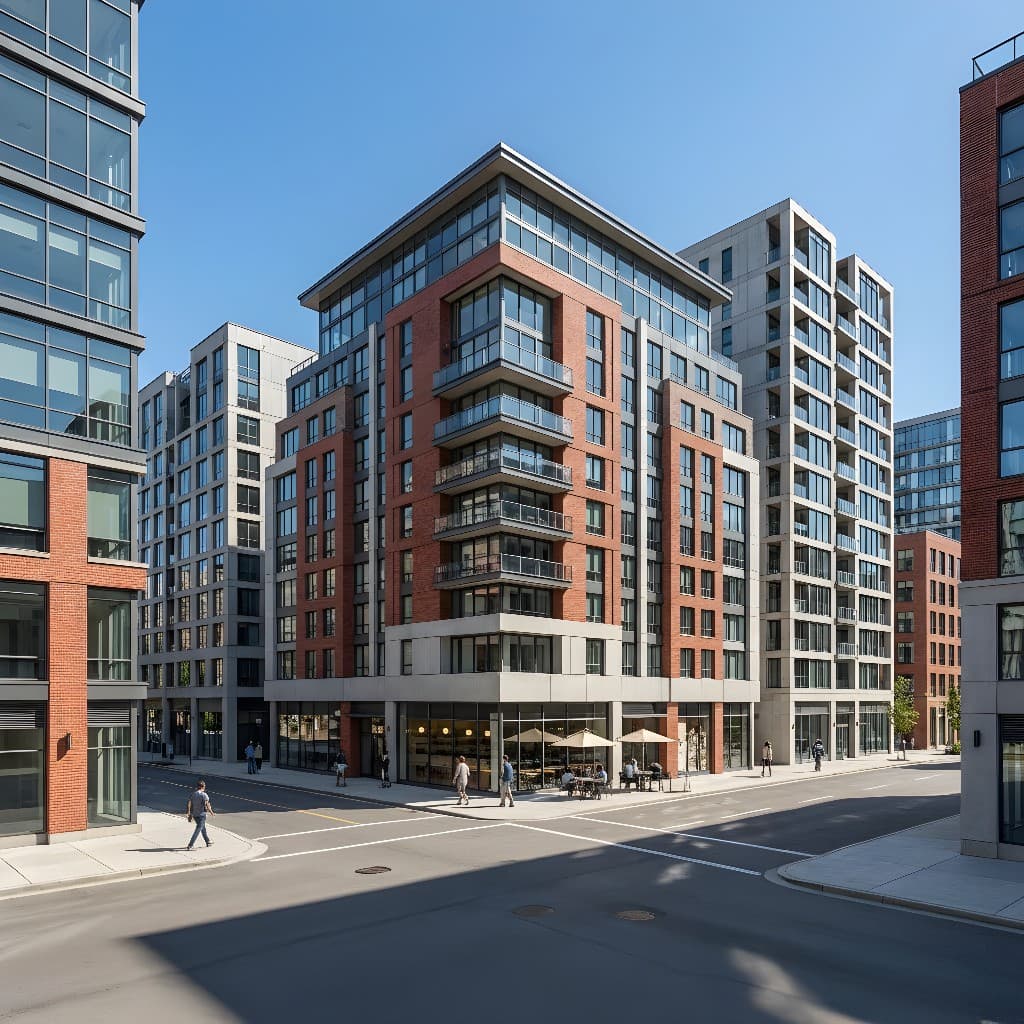
Street tree planting, plaza design, bioswales, and pedestrian improvements. These are commonly presented to city planning departments, business improvement districts, and community stakeholders who have no design background. A photorealistic streetscape render — showing mature canopy trees, activated ground-floor retail, and a planted median — communicates intent far more effectively than a plan or an AutoCAD elevation.
Pre-Construction Site Marketing
Showing what an undeveloped or underutilized site will look like after landscape improvements — for investor decks, permit applications, community presentations, and pre-sales materials. See also our guide on pre-construction marketing renders for the broader workflow.
The Three Best Input Types for Landscape Rendering
1. Site Photos (Existing Conditions)
This is the most powerful input for landscape AI rendering because it grounds the visualization in the actual site. Upload a photo of the existing backyard, rooftop, or street — and use the prompt to describe the transformation you're proposing. The AI preserves the spatial context (building, fence lines, site boundaries, sky) and replaces or supplements the landscape elements with what you've described.
Best practice: Shoot from the intended viewing angle — where you'll ultimately be sitting or standing when experiencing the finished space. Level-horizon shots from a standing position (roughly 5'6" eye height) produce the most natural results. Avoid extreme fisheye or wide-angle distortion. Shoot in natural daylight; avoid direct midday overhead sun if you want the final render to show atmospheric lighting.
2. Sketches and Concept Diagrams
A rough perspective sketch of the proposed layout — even a five-minute hand-drawn diagram showing where the patio, pool, pergola, and planting beds will be — is sufficient input for the AI to produce a convincing photorealistic render. The AI interprets the spatial relationships in the sketch and fills in photorealistic detail from your prompt.
Best practice: Include spatial relationships clearly — where the patio meets the lawn, where the pergola sits relative to the house, where the pool terminates against a planting bed. The AI doesn't need precise dimensions, but it does need to understand the layout. Scan on a white background or photograph in even light.
3. Overhead Site Plan Screenshots
An overhead plan view is a less common input for AI rendering (which works best from eye-level or perspective views), but a bird's-eye or slight oblique view of a site plan can work well for aerial renders, rooftop terrace overviews, and master plan visualizations. For these, describe the view angle explicitly in the prompt: "aerial oblique view from 45°, looking south."
Writing AI Rendering Prompts for Outdoor Spaces
Landscape prompts share the same structure as exterior architectural prompts — but the emphasis shifts. Instead of materials and building geometry, you're describing vegetation, hardscape, water, lighting, and season. Here's a reliable framework:
- Space type and layout: what the space is (patio, pool deck, rooftop terrace, front garden, streetscape) and its key elements (pool, pergola, raised planters, fire pit)
- Hardscape materials: paving material, color, and pattern (concrete pavers, bluestone, travertine, timber decking, gravel, decomposed granite)
- Vegetation type and character: planting style (formal, naturalistic, tropical, Mediterranean, prairie), key species or genus names if relevant, height layers (groundcover, perennial border, shrubs, canopy)
- Water features: pool (shape, finish, water color), spa, fountain, stream, or reflecting pool — and water surface quality (still, rippled, illuminated)
- Lighting and time of day: golden hour afternoon sun, overcast diffuse daylight, evening with landscape lighting, dusk with pool illumination
- Season: spring bloom, summer full canopy, autumn color, winter dormant — this changes the character of the space dramatically
Prompt Examples for Common Landscape Project Types
Residential Pool and Patio
"Backyard outdoor living space, rectangular lap pool with dark grey plaster finish and bluestone coping, 20x40ft pool, large format bluestone patio with teak furniture, pergola structure with climbing wisteria overhead, layered planting border with ornamental grasses, lavender, and white roses along fence, evening golden hour light, pool illuminated from below with warm underwater LEDs, lush summer planting, photorealistic landscape render, warm and relaxed"
Rooftop Terrace — Multifamily
"Rooftop amenity terrace on an urban residential building, large raised planter boxes with ornamental grasses and compact shrubs, modular outdoor lounge seating in charcoal fabric, wood deck tiles, pergola structure with string lights, city skyline visible beyond parapet, dusk lighting with warm LED string lights activated, contemporary and inviting, photorealistic architectural render, residents using the space"
Front Garden / Entry Landscape
"Residential front garden, curved stone path from sidewalk to front door, mixed cottage planting border with roses, salvia, catmint, and allium in peak summer bloom, low boxwood edging defining border, existing home with white painted siding in background, afternoon summer light from left, photorealistic landscape render, lush and colorful, welcoming suburban residential character"
Commercial Streetscape
"Urban commercial streetscape, two mature London plane trees in tree grates with cast iron guards, widened sidewalk with buff concrete pavers, outdoor seating area in front of ground-floor retail, planting beds with low ornamental grasses and flowering perennials, pedestrians walking, midday overcast diffuse light, contemporary and activated, photorealistic streetscape visualization"
For a deeper dive into prompt writing strategy, see our complete AI rendering prompts guide — the four-part framework there applies directly to landscape prompts.
AI Landscape Rendering vs. Traditional Visualization Methods
| Method | Turnaround | Cost | Realism | Best For |
|---|---|---|---|---|
| AI Rendering (Rendershop) | 1–5 minutes | Cents–few dollars | High | All phases, fast iteration |
| 3D Landscape CGI (outsourced) | 3–7 days | $800–$3,000/image | Very High | Final marketing, flagship projects |
| Lumion / D5 Render (in-house) | Hours–days | $1,500–$3,000/yr license + labor | Very High | Firms with 3D model workflow |
| Photomontage | 30–90 minutes | Designer labor only | Low–Medium | Quick concept comm. |
| Hand-rendered perspective | Hours–days | Design labor only | Low–Medium | Schematic design, creative studios |
| Planting plan only (no render) | Minutes | Minimal | None (technical) | Internal documentation only |
Seasonal and Lighting Variation: The Landscape Designer's Secret Weapon
One capability that makes AI rendering uniquely powerful for landscape work — and that is difficult or impossible to achieve affordably any other way — is the ability to show the same space in different seasons and lighting conditions from the same input.
A residential garden sells completely differently in:
- Spring: fresh green foliage, tulips and alliums emerging, clean bare-branch structure visible through new leaves
- Summer: dense full canopy, peak bloom, long evening shadows, lush and layered
- Autumn: golden and orange foliage, ornamental grasses at their peak, harvest warmth
- Winter: bare structural branches, evergreen framework visible, snow or frost if appropriate, architectural hardscape dominant
Showing clients a seasonal progression — four renders of the same garden at different times of year — communicates year-round value and demonstrates design intent in a way that a static summer render can't. This is also a key part of the "twelve months of beauty" conversation that good landscape designers have with clients about planting for four-season interest.
Similarly, a pool and terrace space reads very differently at:
- Afternoon: pool sparkling in direct sun, sharp shadows from pergola, warm and bright
- Golden hour (pre-sunset): warm raking light, long shadow patterns, the most cinematic outdoor scene
- Dusk/evening: pool glowing from underwater LED lights, string lights activated, ambient outdoor lighting warm against a fading sky — the scene that sells luxury outdoor living
The ability to show the evening scene — which would previously require either a real evening photography session at a comparable completed project, or $1,500+ of CGI — is one of the most valuable things AI rendering delivers to landscape designers.
How to Integrate AI Landscape Renders into Your Design Process
Schematic Design: First Client Presentation
Use AI renders at the first client presentation to make the schematic design tangible. At this stage, you don't need photographic accuracy — you need the client to understand the spatial intent and feel of the design. A single perspective render showing the proposed patio layout, key planting character, and overall atmosphere is enough to move the conversation from "I don't really understand the plan" to "yes, that's what we're going for."
Design Development: Material and Planting Alternatives
AI rendering shines in design development for showing side-by-side alternatives. Three renders of the same patio space — one with bluestone, one with travertine, one with poured concrete with saw-cut joints — can be produced in under 15 minutes and presented in a single comparison sheet. Clients who would struggle to visualize material options from a sample board can immediately point to the option they prefer when they see it rendered in context.
Approval and Permitting: HOA and Planning Submissions
Landscape improvements often require HOA approval, local planning approval, or design review for projects in historic districts or design-review overlays. A photorealistic AI render is far more persuasive to a volunteer HOA board or a planning commissioner than a planting plan. Label the render clearly as "Design Concept — AI Visualization" and include it with your submission package. The approval rate for projects with strong visual support is meaningfully higher.
Marketing and Pre-Sale: Projects Under Construction
For developers and builders, AI renders of finished landscape are core marketing assets for projects under construction. A rooftop terrace that's currently a concrete deck can be marketed with AI renders showing it as a lush, activated amenity — before a single planter is installed.
What AI Landscape Rendering Handles Well — and Where to Be Careful
What works extremely well
- Planting character and atmosphere — the AI produces convincingly organic vegetation
- Water surfaces — pool water color, pool tile finish, reflections, and underwater lighting
- Hardscape materials — concrete, stone, brick, gravel, and wood decking all render accurately from prompt
- Seasonal and lighting variation — fast to produce, dramatic effect
- General spatial layout — the AI understands and preserves the spatial relationships in the input
Where to use care
- Specific plant species — the AI renders planting character, not botanical accuracy; don't rely on it to correctly render a specific cultivar
- Precise dimensions — AI renders are not to scale and should not be used for dimensional communication with contractors
- Custom furniture or site furnishings — the AI renders generic furniture character; branded or custom pieces won't be recognizable
- Exact grading and topography — grade changes are hard to communicate precisely through a render alone
Frequently Asked Questions
Can I use a drone photo of the site as my input?
Yes — a drone photo showing an overhead or oblique aerial view of the site is a strong input for aerial landscape renders. The AI interprets the site geometry and can visualize proposed landscape changes from the aerial perspective. Just make sure the drone image is sharp, well-lit, and shows the full area you're proposing to change. Describe the proposed changes clearly in the prompt, since the AI needs to understand what to transform versus what to preserve.
How do I show the difference between "now" and "proposed" in a presentation?
The most effective approach is a before/after pair: the existing conditions photograph on the left, the AI render of the proposed design on the right. This makes the design transformation immediately legible and creates a compelling presentation format. Upload the same existing site photo for both images — your baseline photo for the "before"; that same photo as input for the AI render for the "after." The spatial match between the two makes the comparison convincing.
Can AI renders show how planting will look at five-year or ten-year maturity?
You can specify maturity in your prompt — "planting at five-year establishment, medium canopy cover" versus "mature specimen trees at full canopy, 20-year-old garden" — and the AI will adjust the scale and density of vegetation accordingly. It's not botanically precise (the AI doesn't know the specific growth rate of a particular cultivar), but it conveys the mature character of the planting convincingly, which is usually what clients need to understand the design intent.
Do I need to disclose that a landscape render is AI-generated?
Yes — always label AI renders as "Design Concept — AI Visualization" or "Computer-generated representation of proposed design." This is a professional best practice and may be required for formal submissions (HOA approvals, planning applications). It also sets accurate expectations: clients should understand that the exact plant species, furniture, and hardscape details will be refined during construction documentation, and that the render represents design intent rather than a construction document.
How does pricing work for landscape renders on Rendershop?
Rendershop uses a credit-based system — each render consumes credits based on the rendering mode and output resolution, regardless of whether you're rendering an interior, an exterior, or a landscape. A residential patio render and a commercial streetscape render cost the same number of credits at the same resolution. See Rendershop pricing for current plan options and credit rates.
The Bottom Line
Landscape design has always had a communication problem. The plans that designers create to document their ideas are technically precise and professionally legible — and completely opaque to the clients, developers, and board members who need to approve and fund the work. AI rendering for landscape design closes that gap faster and more affordably than any previous tool.
A site photo, a rough sketch, or a concept diagram is all you need as input. The prompt supplies what the drawing can't: the materials, the planting character, the season, the time of day, and the atmosphere. The result is a photorealistic visualization that lets clients say "yes, that's exactly what I want" in the first meeting rather than the fifth.
Start with your best existing site photo and a clear prompt describing the transformation. Build a before/after comparison. Show two or three material alternatives side by side. Add a twilight render of the evening scene. That's a complete client presentation — and it takes less than an hour to produce.
Visualize Your Landscape Design in Minutes
Upload a site photo or sketch and transform it into a photorealistic landscape render. Try Rendershop free — no credit card required.
— The Rendershop Team