
Edit Tool
Erase Anything From a Render in Seconds
Brush over the parked car, the stray chair or the odd artifact, and Rendershop fills the space as if it was never there.
✓ 50 free credits • No credit card required


Gone Without a Trace
Paint over what you want gone and press erase. No layers, no clone stamp. Here the parked car is brushed out and the driveway and lawn are rebuilt behind it.
- People
- Cars
- Furniture
- Signs and wires
- AI artifacts
Hover to take control of the wipe
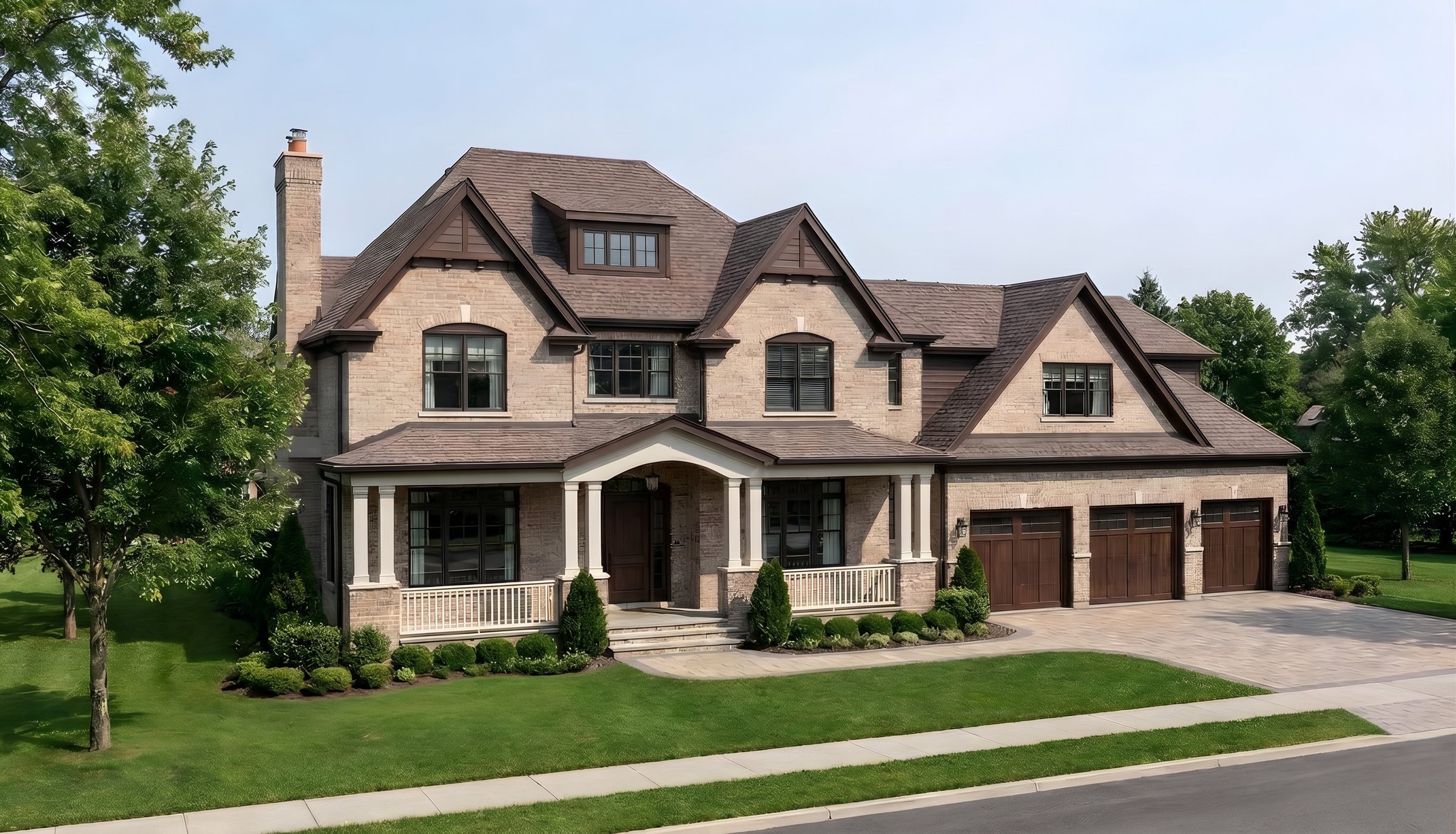
Car erased
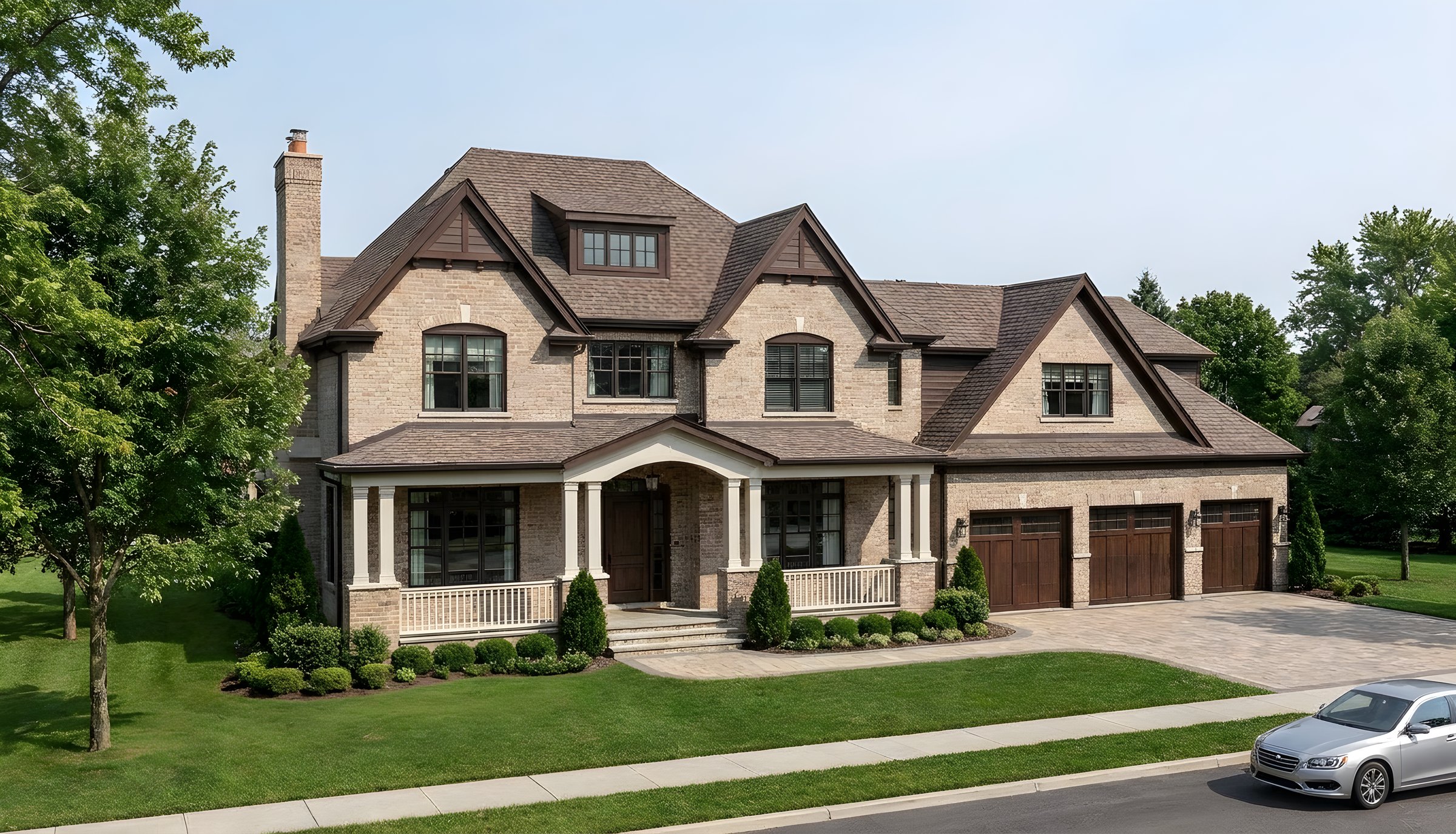
Before
✓ 50 free credits • No credit card required
More ways to use Edit
Edit overview


Use editing inside Claude or ChatGPT
Connect Rendershop to your AI assistant and ask for it in plain words, like “Remove the parked cars from the front of this render.” The result comes back in the conversation and is saved to your project, using the same credits as the app.
Eraser FAQ
Common questions about eraser
People, cars, furniture, signs, wires, trees and AI artifacts.
Yes, renders and real photos both work.
Yes. Follow up with an edit and describe what should go there.
10 credits per erase.

Clean up your renders
Create a free account—No credit card required.